Every 39 seconds, a cyberattack happens somewhere on the internet. Most of them succeed because of one simple reason: weak or reused passwords.
The average person manages over 100 online accounts. Remembering unique, complex passwords for each one is humanly impossible. That is exactly why the best password managers have become essential tools in 2026, not optional extras.
Whether you are a developer protecting API credentials, a remote worker logging into dozens of SaaS tools, or a parent managing family accounts, a reliable password manager changes everything. This guide breaks down every major option, free and paid, so you can make the right choice.
What Is a Password Manager?
A password manager is a secure application that stores, organizes, and autofills your login credentials. Think of it as a digital password vault protected by one strong master password that only you know.
Modern password managers do far more than just store passwords. They generate complex, unique passwords for every site, autofill login forms, sync across your devices, and alert you when your credentials appear in a data breach.
Leading tools now support passkeys, a passwordless authentication standard backed by the FIDO Alliance that replaces traditional passwords with cryptographic keys tied to your device.
How Does a Password Manager Work?
At the core of every reputable password manager is AES-256 encryption, the same standard used by the U.S. government and military. Your passwords are encrypted locally on your device before they ever reach a server.
Here is the basic process:
- You create a master password, the only password you need to remember
- Your vault is encrypted using that master password as the key
- The encrypted vault syncs to the cloud or stays local
- When you log into a site, the manager decrypts and autofills your credentials
The critical concept here is zero-knowledge architecture. With zero-knowledge encryption, the password manager company itself cannot see your passwords. Even in the event of a server breach, your data remains encrypted and unreadable. NIST guidelines recommend this architecture for any credential storage system.
Many managers now also support passkeys, biometric authentication (Face ID, fingerprint), hardware security keys, and two-factor authentication for an extra layer of protection.
Benefits of Using Password Managers
The security benefits are obvious, but there is much more to gain:
- Stronger passwords: auto-generated, complex, and unique for every account
- No password reuse: the leading cause of credential-stuffing attacks
- Faster logins: autofill works across browsers and apps
- Multi-device sync: access your vault on Windows, Mac, Android, and iPhone
- Secure sharing: share credentials with teammates or family without revealing the actual password
- Identity protection: dark web monitoring alerts you to compromised accounts
- Passkey support: future-proof authentication that eliminates phishing risk
According to CISA, using unique passwords for every account is one of the most impactful steps individuals can take to protect their digital identity.
Best Password Managers in 2026
After extensive testing, here are the top options across every category.
1. 1Password
Website: 1password.com
1Password remains the gold standard for individuals, families, and businesses. Its interface is clean and intuitive, and its security architecture is among the most robust available. It uses a unique secret key combined with your master password, meaning even 1Password cannot decrypt your vault.
Key Features: AES-256 encryption, Travel Mode (hides vaults at border crossings), Watchtower breach alerts, passkey support, secure document storage, and business admin controls.
Pros:
- Excellent user experience across all platforms
- Strong family and team plans
- No free tier limitations
- Safari and Chrome extensions work flawlessly
Cons:
- No free version available
- Slightly higher price point than some competitors
Pricing: Individual $2.99/month | Family $4.99/month | Teams from $19.95/month
Best For: Professionals, families, small businesses, enterprises
Platforms: Windows, Mac, Linux, Android, iPhone, browser extensions
2. Bitwarden
Website: bitwarden.com
Bitwarden is the best free password manager for security-conscious users. It is fully open-source, independently audited, and offers a genuinely capable free tier. The premium plan is incredibly affordable and adds features like 2FA integrations, Bitwarden Authenticator, and 1GB encrypted storage.
Key Features: open-source codebase, zero-knowledge encryption, self-hosting option, cross-platform sync, passkey support, and password health reports.
Pros:
- Best-in-class free tier with no major restrictions
- Fully transparent open-source code
- Self-hosting available for advanced users
- Affordable premium plan
- Strong business plans
Cons:
- UI is functional but less polished than 1Password or Dashlane
Pricing: Free | Premium: $10/year | Families: $40/year | Business: from $6/user/month
Best For: Privacy advocates, developers, budget-conscious users, businesses wanting open-source tools
Platforms: Windows, Mac, Linux, Android, iPhone, browser extensions
3. Dashlane
Website: dashlane.com
Dashlane stands out with its built-in VPN and real-time dark web monitoring. It is one of the most polished password managers available, with an exceptional onboarding experience. The password changer feature can update weak passwords automatically on supported sites.
Key Features: built-in VPN, dark web monitoring, phishing alerts, passkey support, secure sharing, password health score.
Pros:
- VPN included with premium plans
- Beautiful and intuitive interface
- Excellent breach monitoring
- Strong autofill performance
Cons:
- More expensive than competitors
- VPN quality is average compared to dedicated VPN services
Pricing: Premium $4.99/month | Friends and Family $7.49/month | Business from $8/user/month
Best For: Users who want an all-in-one security suite, small businesses
Platforms: Windows, Mac, Android, iPhone, browser extensions
4. NordPass
Website: nordpass.com
Built by the team behind NordVPN, NordPass uses XChaCha20 encryption, a modern algorithm considered more secure and faster than AES-256 in software implementations. It offers a clean interface and seamless integration with Nord’s broader security ecosystem.
Key Features: XChaCha20 encryption, zero-knowledge architecture, passkey support, data breach scanner, secure item sharing, and multi-factor authentication.
Pros:
- Modern encryption standard
- Clean and simple user interface
- Excellent breach scanner
- Good family plan pricing
Cons:
- Fewer advanced features than 1Password or Dashlane
- Limited business reporting tools
Pricing: Free | Premium $1.49/month | Family $2.79/month | Business from $4.99/user/month
Best For: NordVPN users, privacy-focused individuals, families
Platforms: Windows, Mac, Linux, Android, iPhone, browser extensions
5. Keeper
Website: keepersecurity.com
Keeper is the top choice for enterprise environments. It offers granular role-based access controls, compliance reporting, and integration with enterprise identity providers like Okta and Azure AD. It also includes KeeperChat, an encrypted messaging app, and BreachWatch for dark web monitoring.
Key Features: Zero-knowledge AES-256 encryption, RBAC, compliance reporting, BreachWatch, KeeperChat, SSO integration, and passkey support.
Pros:
- Enterprise-grade administrative controls
- Strong compliance and audit features
- Excellent customer support
- Reliable offline access
Cons:
- Interface feels less consumer-friendly
- Add-on features increase the overall cost
Pricing: Personal $2.92/month | Family $6.25/month | Business from $4.92/user/month
Best For: Enterprises, IT administrators, compliance-heavy industries
Platforms: Windows, Mac, Linux, Android, iPhone, browser extensions
6. RoboForm
Website: roboform.com
RoboForm has been around since 1999 and still delivers excellent form-filling capabilities, arguably the best in the industry. It is a solid choice for users who fill out complex web forms regularly, including legal, healthcare, and finance professionals.
Key Features: Best-in-class form filling, AES-256 encryption, emergency access, secure sharing, offline access, passkey support.
Pros:
- Outstanding web form filling performance
- Very affordable pricing
- Works reliably offline
- Good free tier
Cons:
- Dated interface compared to modern competitors
- Less polished overall experience
Pricing: Free | Premium $1.99/month | Family $3.98/month | Business from $3.35/user/month
Best For: Users who fill complex online forms frequently, budget-conscious users
Platforms: Windows, Mac, Android, iPhone, browser extensions
7. Proton Pass
Website: proton.me/pass
From the creators of ProtonMail and Proton VPN, Proton Pass is built with privacy at its core. It is fully open-source; uses end-to-end encryption for all stored data, including metadata, something most competitors skip; and is a natural fit for anyone already in the Proton ecosystem.
Key Features: End-to-end encrypted metadata, open-source, built-in 2FA authenticator, zero-knowledge, passkey support, and alias email addresses.
Pros:
- Strong and credible privacy credentials
- Encrypted metadata, not just passwords
- Alias emails protect your real address on sign-ups
- Honest and transparent pricing
Cons:
- Newer product with a smaller feature set
- Fewer third-party integrations
Pricing: Free | Plus ($1.99/month) | Proton Unlimited ($9.99/month) (includes all Proton apps)
Best For: Privacy-first users, Proton ecosystem users, journalists, activists
Platforms: Windows, Mac, Linux, Android, iPhone, browser extensions
8. LastPass
Website: lastpass.com
LastPass suffered major data breaches in 2022, and it would be irresponsible to review password managers without addressing that directly. The company has since overhauled its security infrastructure, but it still carries reputational damage. It remains a functional product but is no longer among the first recommendations.
Key Features: AES-256 encryption, dark web monitoring, emergency access, passkey support, secure notes.
Pros:
- Widely recognized with a large user base
- Strong autofill performance
- Good browser extensions
Cons:
- History of significant data breaches
- Trust issues remain in the security community
- The free tier is severely limited
Pricing: Free (limited) | Premium: $3/month | Families: $4/month | Business: from $7/user/month
Best For: Existing users already familiar with the platform
Platforms: Windows, Mac, Android, iPhone, browser extensions
9. Apple Passwords
Website: support.apple.com/passwords
Apple Passwords, now a standalone app in iOS 18 and macOS Sequoia, is a solid free password manager for anyone deep in the Apple ecosystem. It uses iCloud Keychain under the hood with end-to-end encryption, supports passkeys natively, and offers secure sharing via Family Sharing.
Key Features: End-to-end encryption, passkey support, secure sharing, password health reports, verification code generation, iCloud sync.
Pros:
- Completely free with Apple devices
- Deeply integrated into the Apple experience
- Excellent and familiar user interface
- Full passkey support
Cons:
- Limited to the Apple ecosystem
- No dedicated Windows app
- No advanced business or team features
Pricing: Free (included with Apple devices)
Best For: iPhone, iPad, and Mac users who do not need cross-platform support
Platforms: iPhone, iPad, Mac, limited browser access
10. Google Password Manager
Website: passwords.google.com
Google Password Manager is built into Chrome and Android, making it the most widely used credential manager in the world, often without people realizing it. It supports passkeys and syncs across all your Google-connected devices. It is convenient but lacks the advanced features of dedicated tools.
Key Features: Passkey support, breach alerts, autofill, cross-device sync via Google Account, security checkup.
Pros:
- Completely free to use
- Extremely convenient for Chrome and Android users
- Passkey support built in
Cons:
- Not a zero-knowledge system
- No secure sharing features
- No offline vault access
- Limited audit and reporting capabilities
Pricing: Free
Best For: Casual users already using Chrome and Android
Platforms: Chrome browser, Android, limited iOS support
Password Manager Feature Comparison Table
| Feature | 1Password | Bitwarden | Dashlane | NordPass | Keeper | Proton Pass | Apple Passwords | Google PM |
|---|---|---|---|---|---|---|---|---|
| AES-256 / Strong Encryption | Yes | Yes | Yes | XChaCha20 | Yes | Yes | Yes | Yes |
| Zero-Knowledge | Yes | Yes | Yes | Yes | Yes | Yes | Yes | No |
| Passkeys | Yes | Yes | Yes | Yes | Yes | Yes | Yes | Yes |
| Multi-device Sync | Yes | Yes | Yes | Yes | Yes | Yes | Apple Only | Yes |
| Secure Sharing | Yes | Yes | Yes | Yes | Yes | Yes | Family only | No |
| Dark Web Monitoring | Yes | No | Yes | Yes | Add-on | No | Yes | Yes |
| Emergency Access | Yes | Yes | Yes | No | Yes | No | No | No |
| Family Plan | Yes | Yes | Yes | Yes | Yes | Yes | Yes | No |
| Business Plan | Yes | Yes | Yes | Yes | Yes | Yes | No | No |
| Free Version | No | Yes | Limited | Yes | No | Yes | Yes | Yes |
| Starting Price | $2.99/mo | Free | $4.99/mo | Free | $2.92/mo | Free | Free | Free |
Free vs Paid Password Managers
Free password managers work well for basic use. Bitwarden, NordPass, and Proton Pass offer genuinely capable free tiers with zero-knowledge encryption and cross-device sync.
However, paid plans unlock critical features:
- Dark web monitoring and real-time breach alerts
- Secure password sharing with teams or family members
- Emergency account access for trusted contacts
- Advanced two-factor authentication options
- Priority customer support and faster response times
Choose free if you manage personal accounts, use one primary device, and have basic everyday security needs.
Choose paid if you manage team credentials, want dark web monitoring, need secure sharing, or handle sensitive business or financial accounts.
Password Managers vs Browser Password Managers
Browser-based tools like Chrome Password Manager, Apple Passwords, and Microsoft Edge’s built-in manager are convenient, but they come with real limitations.
The core problem is that browser password managers are tied to their ecosystem. Chrome’s manager works inside Google’s infrastructure, which is not zero-knowledge. Microsoft Edge’s credential manager integrates with your Microsoft account. Firefox’s manager is better for privacy but lacks advanced features.
Dedicated password managers offer a clear advantage:
- Zero-knowledge encryption that browsers often cannot match
- Cross-browser and cross-platform access from one vault
- Secure sharing, emergency access, and breach monitoring
- Business and team administration features
- Stronger and more flexible authentication options
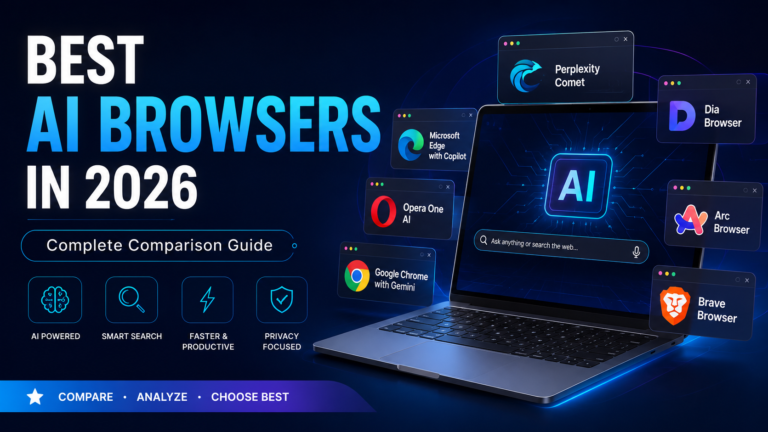
If you are evaluating browser-level security tools, you might also want to explore the Best AI Browsers in 2026 for a broader look at secure, modern browsing options. For those building a future-proof security setup, AI PCs Explained covers how next-generation hardware integrates biometric and AI-powered security at the chip level.
Are Password Managers Safe?
Yes, and they are significantly safer than the alternatives.
The biggest risks to password managers are:
- A weak master password: use a long passphrase, not a simple word or name
- No two-factor authentication: always enable 2FA on your vault
- Phishing attacks: password managers autofill only on legitimate domains, which actually protects you against fake login pages
- Vendor breaches: with zero-knowledge encryption, a breach exposes only encrypted data that is useless without your master password
The LastPass 2022 incident is a useful case study. Attackers accessed encrypted vaults, but users with strong master passwords remained protected because of zero-knowledge encryption. OWASP recommends password managers as a best practice for credential security across all user types.
Common Mistakes to Avoid
Even with a password manager, these mistakes can undermine your security:
- Using a weak master password: it is the only thing protecting everything in your vault
- Skipping multi-factor authentication: MFA blocks 99% of account takeover attempts
- Trusting browsers as your primary manager: convenience comes at a privacy cost
- Never rotating old passwords: run a password health audit at least once a quarter
- Ignoring security alerts: dark web monitoring exists to warn you, so act on it promptly
- Sharing the master password with others: use the secure sharing features instead
- Not setting up emergency access: plan for unexpected lockout scenarios
Expert Tips for Maximum Password Security
- Use a passphrase as your master password. Four random words are both strong and memorable, for example: maple-engine-river-42
- Enable TOTP-based 2FA rather than SMS. SMS 2FA is vulnerable to SIM-swapping attacks
- Review your password health report monthly. Most managers flag weak, reused, or compromised passwords automatically
- Enable biometric unlock on mobile, but always maintain a strong master password as a backup
- For businesses, use a business password manager with role-based access. Never share credentials via email or messaging apps
- Set up emergency access with a trusted contact to prevent permanent lockout scenarios
- Use your manager’s secure notes for storing recovery codes, PINs, and software license keys
Conclusion
Password security is not optional in 2026. With credential-stuffing attacks, phishing campaigns, and data breaches happening at record scale, relying on memory or browser-saved passwords is a serious vulnerability that puts everything at risk.
The best password managers offer a practical, proven solution: strong encryption, zero-knowledge security, passkey support, and multi-device convenience all in one place.
Here is a quick recommendation by user type:
- Best overall: 1Password
- Best free option: Bitwarden
- Best for privacy: Proton Pass
- Best for enterprise: Keeper
- Best for Apple users: Apple Passwords
- Best for NordVPN users: NordPass
- Best for form filling: RoboForm
Start with your specific needs, including platform, budget, and whether you need team features, and your ideal match becomes clear. No matter which tool you choose, the best password managers are infinitely better than no password manager at all. Make the switch today and take control of your digital security.