Every creator’s stack looks different because every creator’s bottleneck is different. A solo blogger struggling to keep up with publishing frequency needs something completely different from a video creator drowning in raw footage or a marketing team managing five brand voices at once. The mistake most “best AI tools” lists make is treating content creation as one job. It isn’t. It’s a chain of distinct tasks, and the right AI tools for content creation are the ones that solve a specific link in that chain well.
This guide breaks down ten tools worth knowing in 2026, organized around how content actually gets made: research, ideas, writing, design, video, audio, and repurposing.
Direct Answer
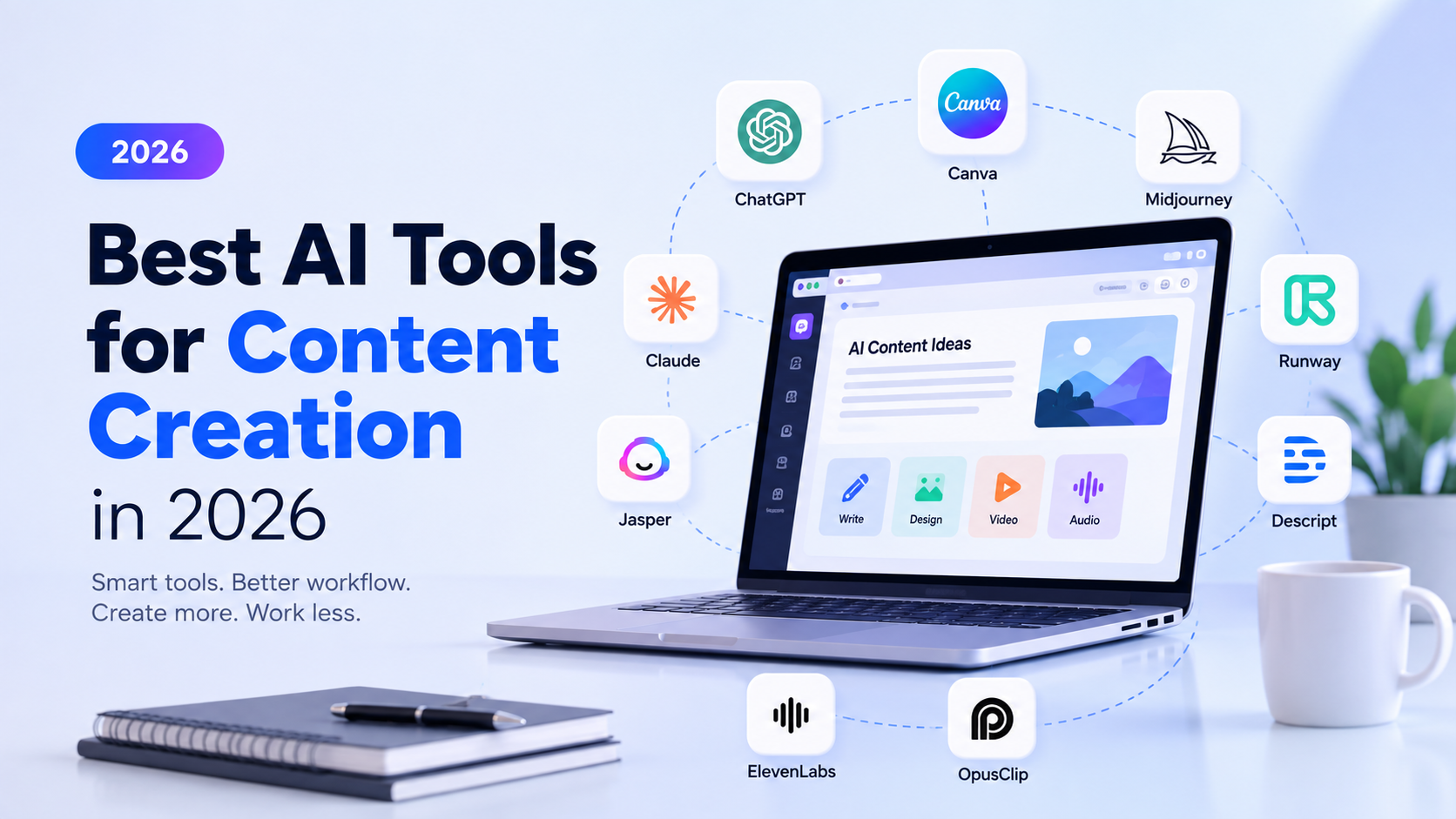
The best AI tools for content creation depend on the task. ChatGPT and Claude support writing and planning, Perplexity supports research, Canva and Midjourney support visuals, Runway and Descript support video, ElevenLabs supports voice, and OpusClip supports repurposing. No single tool covers every stage well.
Key Takeaways
-
No AI tool handles the entire content creation process from research to publishing.
-
Matching a tool to a specific workflow stage matters more than picking the most popular option.
-
Writing tools like ChatGPT and Claude differ in strengths around brainstorming versus long-form depth.
-
Research tools like Perplexity speed up discovery but still require human verification.
-
Visual and video tools have real creative value but come with limitations around rights, realism, and polish.
-
A smaller stack used consistently outperforms a large stack used inconsistently.
-
Human review remains necessary at every stage, regardless of which tools are used.
How We Selected These AI Tools
These tools were selected based on how widely they are used across real content workflows, the specific problem each one solves, and how clearly that problem maps to a stage in the content creation process. This is not a ranked list of “the best” tools overall. It’s a functional breakdown of tools that solve different problems well, so readers can match a tool to the task they actually struggle with.
The AI Content Creation Workflow
Most content, regardless of format, moves through a similar sequence:
Research → Ideas → Writing → Design → Video → Audio → Repurposing
A blog post might only need the first three or four stages. A YouTube video touches nearly all seven. Understanding where a piece of content sits in this chain makes it much easier to decide which AI tool, if any, is worth adding to the process.
Best AI Tools for Research and Content Ideas
Perplexity is best for topic research, source discovery, and comparing information across multiple viewpoints quickly. It suits bloggers, marketers, and journalists who need to understand a topic before writing about it, and it fits at the very start of the workflow, before any drafting begins.
Its main strength is speed: it can pull together an overview of a topic along with cited sources in a fraction of the time manual research takes. Its limitation is that it can still surface outdated, incomplete, or misattributed information, so anything used in a published piece should be checked against the original source. A practical use case is researching a competitive topic before writing, using Perplexity to identify the main angles other sources are covering and where the gaps are, which connects directly to identifying search intent before drafting.
Best AI Tools for Writing Content
ChatGPT is best for brainstorming, outlining, drafting, rewriting, and repurposing existing content into new formats. It suits bloggers, marketers, and freelancers who need a flexible tool across multiple stages of writing, and it fits almost anywhere in the workflow, from idea generation to first drafts.
Its main strength is versatility: it adapts well to different tones, formats, and content types within the same conversation. Its limitation is that it can produce confident but inaccurate statements, so factual claims need human verification before publishing. A practical use case is using it to turn a rough set of notes into a structured outline, then drafting section by section with edits at each step, rather than generating a finished article in one pass.
Claude is best for long-form content, detailed instructions, and working through longer documents or context. It suits writers and teams producing in-depth guides, reports, or documentation, and it fits well at the drafting and analysis stages.
Its main strength is handling longer, more detailed instructions and larger amounts of context without losing track of earlier details. Its limitation is that, like any language model, it can still misstate facts or lose nuance in highly technical subject matter, so review remains necessary. A practical use case is feeding it a detailed brief with source material and asking it to draft a long guide that follows specific structural requirements throughout.
Best AI Tools for Marketing and Brand Content
Jasper is best for marketing teams producing brand-consistent content at scale, such as campaign copy, product descriptions, and multi-channel content. It suits marketing teams and agencies managing several brand voices or clients at once, and it fits in the writing and content workflow stages.
Its main strength is built-in brand voice and workflow features designed for teams rather than individual writers. Its limitation is that it’s built around structured marketing workflows, which makes it less suited to freelance or highly exploratory writing. A practical use case is a marketing team setting up brand guidelines once, then generating consistent campaign copy across email, ads, and social posts without rewriting tone instructions each time.
Best AI Tools for Graphic Design
Canva is best for blog visuals, social media graphics, presentations, and quick design work that doesn’t require a dedicated designer. It suits bloggers, marketers, and small teams without in-house design resources, and it fits at the design stage of the workflow.
Its main strength is accessibility: templates and AI-assisted design features make it usable without design training. Its limitation is that heavily templated output can look generic if not customized, especially for brands trying to stand out visually. A practical use case is turning a blog post’s key statistics into a set of branded social graphics using existing templates adjusted to match brand colors and fonts.
Best AI Tool for AI-Generated Images
Midjourney is best for creative, stylized image generation and concept visuals rather than photorealistic product shots. It suits creators needing original artwork, mood imagery, or visual concepts, and it fits at the design stage.
Its main strength is the quality and creative range of its stylized output. Its limitation is that usage rights, image consistency, and commercial use policies vary and should be reviewed on the official site before using outputs commercially. A practical use case is generating a set of concept visuals for a blog header or thumbnail that would be time-consuming to source through stock photography.
Best AI Tools for Video Creation
Runway is best for AI-assisted video generation and creative video experimentation. It suits creators exploring short-form video concepts, motion graphics, or visual effects, and it fits at the video creation stage.
Its main strength is enabling video generation and editing techniques that would otherwise require specialized skills or software. Its limitation is that it isn’t a replacement for professional video production when quality, consistency, or complex storytelling is required. A practical use case is generating short experimental video clips or visual transitions to supplement footage shot separately, rather than producing a full video from scratch.
Best AI Tools for Video and Podcast Editing
Descript is best for video editing, podcast editing, and transcription through a text-based editing interface. It suits podcasters, YouTubers, and video creators who want to edit by editing a transcript rather than a timeline, and it fits at the video and audio editing stage.
Its main strength is speed: cutting a transcript edits the underlying audio or video automatically, which is far faster than manual timeline editing for dialogue-heavy content. Its limitation is that it’s less suited to complex visual effects or highly produced video work compared to dedicated video editing software. A practical use case is recording a podcast episode, removing filler words and mistakes by editing the transcript, then exporting a cleaned-up episode without touching a traditional timeline.
Best AI Tools for Voice and Audio
ElevenLabs is best for AI-generated voice, narration, and voiceovers. It suits creators needing narration for videos, audiobooks, or explainer content without hiring voice talent for every project, and it fits at the audio stage.
Its main strength is the naturalness and range of its generated voices compared to older text-to-speech tools. Its limitation, and an important one, is that voice rights and consent matter: using someone’s likeness or a cloned voice without permission raises real ethical and legal concerns, so voice generation should stick to properly licensed voices or a creator’s own. A practical use case is narrating an explainer video script without needing a separate voice recording session.
Best AI Tool for Content Repurposing
OpusClip is best for turning long-form videos and podcasts into shorter clips for social media. It suits YouTubers, podcasters, and social media creators looking to extract more value from long content, and it fits at the repurposing stage, the final step in the workflow.
Its main strength is automatically identifying likely highlight moments in long footage, saving significant manual review time. Its limitation is that automated clip selection doesn’t always pick the most relevant or engaging moment, so clips should be reviewed before publishing rather than posted automatically. A practical use case is taking a 45-minute podcast episode and generating several short clips to test across social platforms, then manually selecting the strongest ones.
AI Tools for Content Creation Comparison Table
| Tool | Best For | Content Format | Ideal User | Main Strength | Potential Limitation |
|---|---|---|---|---|---|
| Perplexity | Research and source discovery | Research summaries | Bloggers, marketers | Fast, cited overviews | Requires source verification |
| ChatGPT | Brainstorming and drafting | Written content | Bloggers, freelancers | Versatile across tasks | Can state inaccuracies confidently |
| Claude | Long-form and detailed drafts | Long written content | Writers, teams | Strong with longer context | Still needs fact checking |
| Jasper | Brand and campaign content | Marketing copy | Marketing teams | Brand voice at scale | Less suited to exploratory writing |
| Canva | Visual design | Graphics, presentations | Bloggers, small teams | Accessible, template-based | Can look generic if unedited |
| Midjourney | Creative image generation | Stylized images | Creators, designers | High-quality creative output | Usage rights vary by plan. |
| Runway | AI video generation | Short video, effects | Video experimenters | Novel video capabilities | Not a full production replacement |
| Description | Video and podcast editing | Video, audio | Podcasters, YouTubers | Transcript-based editing | Limited for complex VFX |
| ElevenLabs | Voice generation | Narration, voiceover | Video and audio creators | Natural-sounding voices | Voice rights must be respected. |
| OpusClip | Repurposing long video | Short-form clips | Podcasters, YouTubers | Automated highlight detection | Clips need manual review. |
How to Build the Right AI Content Creation Stack
Building a stack starts with identifying the actual bottleneck, not collecting tools. Here’s how AI could support one content campaign from start to finish:
-
Research the topic using a tool like Perplexity to understand what’s already been covered and where gaps exist.
-
Generate ideas with ChatGPT or Claude based on that research and the target audience’s actual questions.
-
Create an outline that structures the content around a clear answer and supporting sections.
-
Draft the content using ChatGPT for shorter pieces or Claude for longer, more detailed ones.
-
Review and improve it manually, checking facts, tone, and accuracy before anything goes further.
-
Create supporting visuals with Canva for graphics or Midjourney for stylized imagery.
-
Turn the content into video using Runway for creative segments or standard recording for talking-head content.
-
Add voice or narration with ElevenLabs if the video needs narration beyond a creator’s own voice.
-
Repurpose it for social media using OpusClip to extract short clips from any long-form video produced.
Not every campaign needs all nine steps, and no creator needs all ten tools. A blog-only creator might only use steps one through five.
Best AI Tool Stack for Bloggers
A blogger’s core bottleneck is usually research and drafting speed. Perplexity for research, ChatGPT or Claude for drafting, and Canva for visuals covers the essentials without adding tools that go unused.
Best AI Tool Stack for Social Media Creators
Social creators typically need speed and volume more than depth. Canva for graphics, ChatGPT for caption writing and ideas, and OpusClip for turning any existing long-form content into short clips forms a lean, practical stack.
Best AI Tool Stack for Video Creators
Video creators benefit most from tools addressing production and post-production bottlenecks. Descript for editing and transcription, Runway for creative video elements, ElevenLabs for narration when needed, and OpusClip for repurposing finished videos into shorter cuts cover the full video pipeline.
Best AI Tool Stack for Small Businesses
Small businesses often need consistent brand content without a large team. Jasper for on-brand marketing copy, Canva for visuals, and ChatGPT for everyday writing tasks like emails and product descriptions keep the stack manageable while covering the most common needs.
Common Mistakes When Using AI for Content Creation
-
Using too many overlapping tools instead of a few that solve real bottlenecks
-
Publishing AI-generated output without editing or fact checking
-
Trusting AI-generated facts, statistics, or quotes without verification
-
Choosing tools based on hype rather than an actual workflow need
-
Ignoring brand consistency across AI-generated visuals and copy
-
Paying for multiple tools that perform the same function
-
Producing more content instead of improving the quality of existing content
-
Never building a repeatable process, so every piece of content starts from scratch
Final Recommendations
Start with the stage that’s actually slowing you down, not the tool getting the most attention online. A blogger who already writes quickly doesn’t need a writing assistant; they need better research or faster visual creation. A video creator drowning in raw footage doesn’t need another idea generator; they need an editing tool like Descript or a repurposing tool like OpusClip. Add tools one at a time, and only after the previous one has become a genuine part of the workflow rather than an experiment.
Conclusion
Choosing AI tools for content creation isn’t about assembling the longest possible stack. It’s about identifying where your process breaks down and picking one or two tools that fix that specific problem well. Research tools speed up discovery, writing tools speed up drafting, design and video tools handle production, and repurposing tools extend the life of what’s already been made. Used deliberately, with human review at every stage, these tools can meaningfully shorten the distance between an idea and a finished piece of content, without replacing the judgment that makes that content worth publishing.