Running a website without checking its technical health is a bit like driving with the dashboard warning lights covered up. Broken links, indexing problems, and duplicate content can quietly hold pages back while everything looks fine on the surface. SEO audit tools exist to uncover that hidden layer before it turns into a traffic problem.
This guide covers ten established SEO audit tools available in 2026, what each one actually does, and how to decide which fits your website, budget, and technical experience.
Direct Answer
There is no single best SEO audit tool for every situation. Ahrefs and Semrush suit teams that want auditing built into a broader SEO platform. Screaming Frog, Sitebulb, and Netpeak Spider suit deeper technical crawling. Lumar fits large or enterprise sites. Google Search Console remains essential first-party data; no website should skip it.
Key Takeaways
- SEO audit tools surface potential technical, structural, and on-page issues, but a person still needs to judge what matters.
- Cloud platforms and desktop crawlers solve different problems and often work best together.
- Smaller websites can usually start with one or two tools rather than a full paid stack.
- Google Search Console provides first-party data no third-party crawler can fully replace.
- Beginners generally benefit from guided, visual tools, while technical SEOs often prefer raw crawl control.
- A high audit score does not guarantee higher rankings, and not every flagged issue needs immediate action.
What Is an SEO Audit Tool?
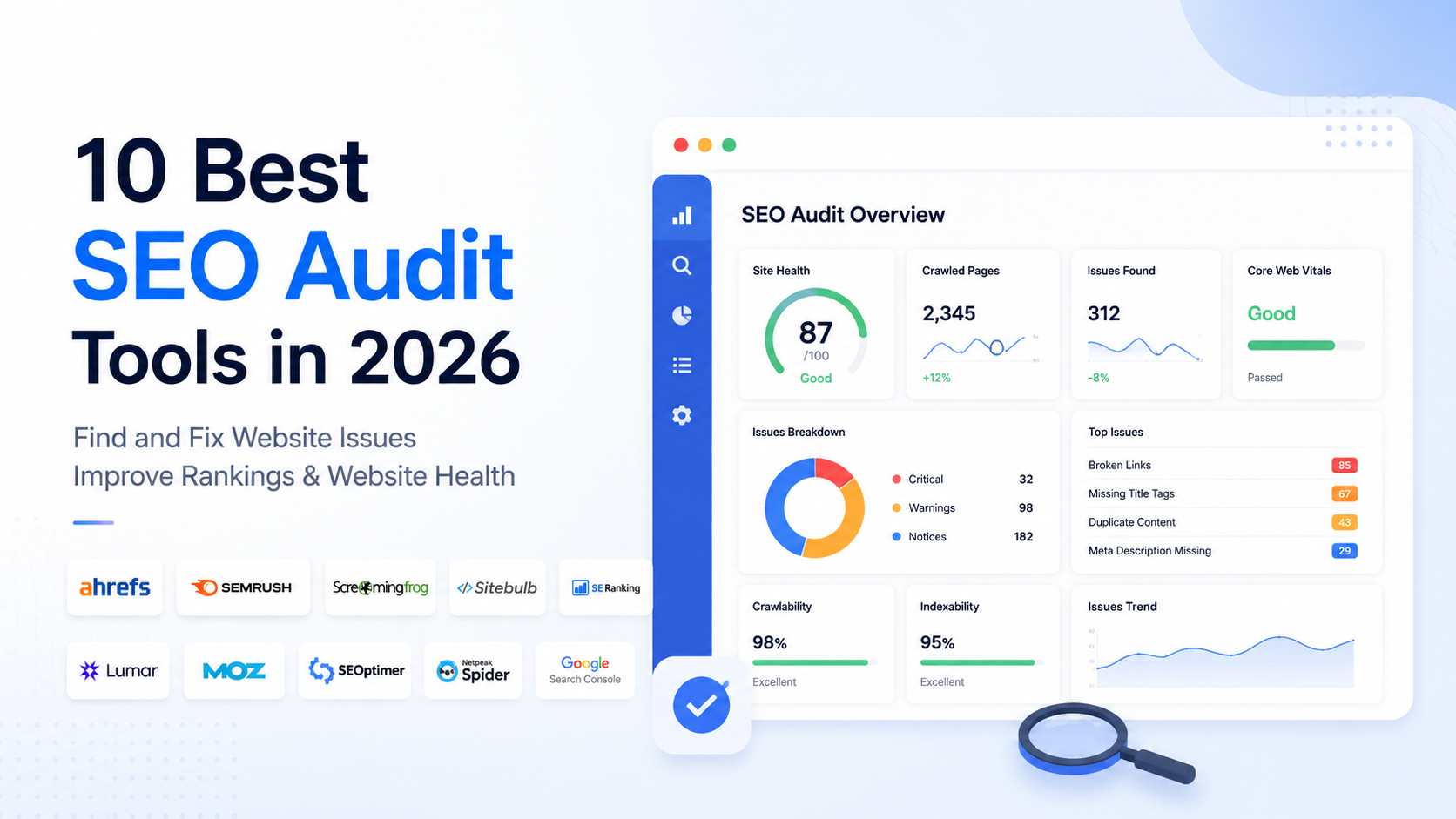
An SEO audit tool is software that scans a website and reports on potential technical, structural, on-page, crawlability, and search-related issues. Checks vary widely between tools, from a quick scan of a single page to a deep crawl of hundreds of thousands of URLs.
These tools identify potential issues, not confirmed problems. A flagged warning still needs a person to judge whether it matters for that specific site, what caused it, whether it is worth fixing, and how a fix might affect other parts of the site. Not every warning demands immediate action.
What Can SEO Audit Tools Check?
Most tools check some combination of the following, though depth and coverage vary:
- Broken links and redirect chains
- Page titles and meta descriptions
- Duplicate content signals
- Canonical tags
- Indexability and robot directives
- Internal linking structure
- Page and site architecture
- Crawl errors and HTTP status codes
- Sitemap accuracy
- Potential performance-related issues
A lightweight checker might cover a handful of these on one page, while an enterprise crawler analyzes all of them across millions of URLs.
Why You May Need More Than One SEO Audit Tool
SEO professionals often combine tools because each specializes in a different part of the process. A dedicated crawler suits detailed technical analysis, a cloud platform helps with ongoing monitoring and reporting, and Google Search Console reports first-party data about how Google is actually crawling and indexing the site, something no third-party tool fully replicates.
This does not mean every site needs several paid subscriptions. A smaller site can often get by with one capable crawler plus Search Console. Larger sites or agencies managing several domains are more likely to benefit from combining a crawler with a monitoring platform.
Cloud-Based vs Desktop SEO Audit Tools
Cloud-based platforms run in the browser and store data on the vendor’s servers. They suit ongoing monitoring, scheduled audits, team collaboration, and shareable reporting, and they are easy to access from anywhere.
Desktop crawlers run locally and give direct control over crawl configuration, speed, and scope. They are often preferred for detailed technical investigation, custom crawl rules, and large or unusually structured sites, since the crawl is not limited by shared vendor infrastructure.
Neither category is universally better, and capabilities vary by tool. For lighter, page-level checks, some marketers also lean on SEO Chrome extensions for quick diagnostics, though these are not a substitute for a full audit platform.
10 Best SEO Audit Tools in 2026
1. Ahrefs
Ahrefs is a broad SEO platform best known for its backlink index and keyword research, but it also includes a site audit feature for technical and on-page issues.
Best For: Teams that want site auditing built into a larger SEO platform.
Key SEO Audit Capabilities: Ahrefs crawls a site and groups findings by category and severity, covering crawlability, HTML tags, links, and content-related signals, which helps with triaging what to look at first.
Who Should Use It: Marketers already using Ahrefs for keyword or backlink research who want auditing in the same workspace.
Considerations: It is one module inside a full SEO suite rather than a specialized crawler, so users focused purely on deep technical crawling may want more granular control.
2. Semrush
Semrush is another all-in-one platform pairing keyword research, competitive analysis, and rank tracking with a site audit tool.
Best For: Users who want technical auditing alongside content and competitive research in one subscription.
Key SEO Audit Capabilities: Semrush Site Audit crawls a site and reports crawlability problems, HTTP status errors, on-page factors, and internal linking patterns, with a health-style score and scheduled re-crawls to track changes over time.
Who Should Use It: Agencies and in-house marketers who need auditing as part of a broader SEO workflow.
Considerations: The audit tool sits inside a wider suite, so technical SEOs wanting deeper crawl configuration may prefer a dedicated crawler alongside it.
3. Screaming Frog
Screaming Frog is a long-standing desktop crawler used across the industry for detailed technical analysis, crawling websites URL by URL.
Best For: Hands-on technical SEO work requiring granular control over what gets crawled and how.
Key SEO Audit Capabilities: It crawls internal and external links, status codes, redirects, titles, meta descriptions, and duplicate content signals, and can render JavaScript for modern sites. Custom crawl rules and data exports support deeper analysis.
Who Should Use It: Technical SEOs, developers, and consultants comfortable with detailed data exports.
Considerations: As desktop software, it generally requires more technical understanding than a guided cloud dashboard, and interpreting its raw output takes some SEO experience.
4. Sitebulb
Sitebulb offers both desktop and cloud auditing, built around presenting findings as prioritized, explained issues rather than raw data alone.
Best For: SEOs and agencies wanting detailed audits paired with visual reporting for clients.
Key SEO Audit Capabilities: Sitebulb organizes findings into categorized issues with explanations of why each matters, alongside visual crawl maps and customizable reports.
Who Should Use It: Consultants and agencies needing to explain findings clearly, plus technical SEOs who want both raw data and guided interpretation.
Considerations: The desktop version’s crawl scale depends on the machine running it, and larger sites may need the cloud version instead.
5. SE Ranking
SE Ranking combines rank tracking, keyword research, and a Website Audit tool for identifying technical issues and monitoring site health.
Best For: Users wanting an accessible, all-in-one platform that includes auditing.
Key SEO Audit Capabilities: The website audit crawls a site for crawlability, HTML tag, redirect, and link issues, generating a health score and prioritized list, with scheduled recurring audits.
Who Should Use It: Small to mid-sized businesses, freelancers, and agencies wanting a straightforward platform without a steep learning curve.
Considerations: As with other all-in-one platforms, very large or complex sites may benefit from pairing it with a dedicated crawler.
6. Lumar
Lumar is a website intelligence platform built for enterprise-scale technical SEO, combining large-scale crawling with monitoring and issue tracking.
Best For: Large, complex, or enterprise sites needing continuous monitoring across a high volume of pages.
Key SEO Audit Capabilities: Its crawler handles very large, JavaScript-heavy sites and identifies issues such as broken links, redirect chains, and canonicalization errors, with scheduled monitoring and alerts for changes introduced by new releases.
Who Should Use It: Enterprise SEO teams and cross-functional groups where organic search is a significant revenue channel.
Considerations: Lumar is positioned toward enterprise use cases and generally requires solid technical SEO understanding to get full value. Pricing and packaging should be confirmed directly with the vendor.
7. Moz Pro
Moz Pro includes a site crawl feature for technical issues, alongside keyword research, rank tracking, and link analysis.
Best For: Users wanting an established SEO platform with auditing as one part of a broader toolset.
Key SEO Audit Capabilities: Site Crawl scans a site on a schedule and flags broken links, redirect problems, duplicate content, and title tag issues in an approachable format, alongside an on-page grading feature for individual pages.
Who Should Use It: Marketers and small SEO teams wanting an easier entry point into auditing.
Considerations: Some reviewers note its diagnostics can feel less detailed than a dedicated crawler for very technical, large-scale work, so pairing it with a deeper crawler may help on complex sites.
8. SEOptimer
SEOptimer is a website audit and reporting tool built around fast, easy-to-understand audits, with white-label reporting for agencies.
Best For: Small businesses, freelancers, and agencies wanting quick audits and client-ready reports.
Key SEO Audit Capabilities: SEOptimer scans on-page, technical, and usability factors and generates a report with prioritized recommendations, with white-label customization and an embeddable audit tool on some plans.
Who Should Use It: Website owners without deep technical expertise and agencies producing branded reports for prospects.
Considerations: It is positioned around speed and accessibility rather than deep crawling, so its scope is generally lighter than dedicated crawlers like Screaming Frog or Sitebulb.
9. Netpeak Spider
Netpeak Spider is a desktop SEO crawler for detailed technical analysis, available for Windows and macOS.
Best For: Technical audits requiring detailed, customizable crawling.
Key SEO Audit Capabilities: It detects broken links, duplicate pages, redirect problems, and metadata issues, supports JavaScript rendering, and includes tools such as an internal PageRank-style calculator and sitemap generation, with exportable results.
Who Should Use It: SEO specialists, webmasters, and agencies comfortable with a desktop application and detailed crawl data.
Considerations: Like other desktop crawlers, it requires more technical familiarity than a guided cloud tool, and newer users may need time to learn its full feature set.
10. Google Search Console
Google Search Console is fundamentally different from the tools above. Rather than simulating how a search engine might see a site, it reports first-party data about how Google itself is crawling, indexing, and ranking that specific website, at no cost.
Best For: Every website, as a baseline source of information about Google’s actual behavior toward the site.
Key SEO Audit Capabilities: It covers indexing status and coverage issues, search performance data by query and page, URL inspection, sitemap submission and monitoring, and reports on manual actions, security issues, and Core Web Vitals field data.
Who Should Use It: Every site owner and SEO professional, alongside whatever third-party audit tool they use.
Considerations: It is not a crawler in the traditional sense and does not simulate a full site crawl the way Screaming Frog or Sitebulb can. It is best treated as a companion to third-party tools rather than a replacement for them.
How to Choose the Right SEO Audit Tool
Website size and complexity. A small brochure site has different needs than a catalog with hundreds of thousands of URLs. Larger sites generally benefit from tools built for scale, such as Lumar or a well-configured desktop crawler.
Technical experience. Guided platforms like SE Ranking, Moz Pro, or SEOptimer present findings more approachably, while crawlers like Screaming Frog or Netpeak Spider assume comfort interpreting technical data directly.
Budget. Paid platforms range from lightweight plans to enterprise pricing, and some offer free tiers or trial crawls. Google Search Console remains free regardless of site size.
Ongoing monitoring versus one-off audits. Cloud platforms with scheduled crawls suit sites that change frequently, while a one-time desktop crawl may be enough for a smaller, static site.
Reporting requirements. Agencies presenting findings to clients often value polished, white-label reporting, such as Sitebulb or SEOptimer, over raw exports.
Team workflow. Larger teams may need collaboration and shared crawl access, which cloud tools tend to support more naturally than single-user desktop software.
Best SEO Audit Tools by Use Case
Best for Beginners: SE Ranking, Moz Pro, and SEOptimer are more approachable, since they explain findings rather than presenting raw exports.
Best for Technical SEO: Screaming Frog, Sitebulb, and Netpeak Spider offer the deepest crawling and configuration control.
Best for Large Websites: Lumar is built for enterprise-scale crawling and monitoring, though Screaming Frog and Sitebulb can handle substantial crawls with the right setup.
Best for Agencies: Sitebulb and SEOptimer offer client-friendly reporting, while Semrush and Ahrefs suit agencies wanting auditing bundled with broader research.
Best Free Option: Google Search Console, since it provides first-party Google data at no cost, ideally paired with a crawler for a fuller technical picture.
Common SEO Audit Tool Mistakes
- Trying to fix every warning regardless of actual impact
- Ignoring the specific context of the website when interpreting results
- Relying solely on an overall audit score instead of the issues behind it
- Using multiple tools without a clear workflow for reconciling findings
- Making changes based on audit findings without testing them first
- Confusing crawl errors with confirmed ranking problems
- Focusing on technical fixes while ignoring search intent and content quality
- Skipping Google Search Console data in favor of third-party reports alone
- Failing to prioritize a site’s most important pages
- Assuming automation or a high score can replace SEO judgment
A Simple SEO Audit Workflow
- Define the purpose of the audit.
- Crawl or analyze the website using the chosen tool or tools.
- Review critical technical issues first, such as indexability and crawl errors.
- Check important pages individually, not just site-wide summaries.
- Compare findings with Google Search Console data where relevant.
- Prioritize issues based on likely impact and site context.
- Fix issues carefully, starting with the ones most likely to affect users or visibility.
- Test the changes before considering them complete.
- Monitor the website after implementation.
The exact steps can shift depending on the website and the reason for the audit, but this sequence works as a reasonable starting framework.
SEO Audit Checklist
- Crawlability and robots.txt directives
- Indexability of important pages
- HTTP status codes across the site
- Broken internal and external links
- Redirect chains and loops
- Canonical tag accuracy
- XML sitemap presence and accuracy
- Page titles and meta descriptions
- Internal linking structure
- Accessibility of key, revenue-driving pages
- Duplicate content signals
- Mobile usability
- Performance-related issues, where relevant
- A review of Google Search Console data alongside third-party findings
This checklist is a starting point rather than a strict priority order. Not every item carries the same weight for every website.
Conclusion
SEO audit tools are only as useful as the judgment applied to their findings. The right SEO audit tools for one website, whether that means a broad platform like Ahrefs or Semrush, a dedicated crawler like Screaming Frog or Sitebulb, an enterprise solution like Lumar, or the free first-party data in Google Search Console, depend on the size of the site, the technical complexity involved, the budget available, and how the findings will be used. Rather than searching for one universal winner, match a tool’s strengths to your situation, treat its findings as a starting point for investigation, and pair any third-party audit with what Google Search Console reports directly about your own site.