If you have ever stared at a blank draft, unsure whether to write about your topic idea or scrap it and start over, you already know the real problem with blogging. It is not a lack of effort. It is a lack of clear direction before you even open your writing tool.
Good AI prompts fix that. A vague instruction like “write a blog post about skincare” gives you generic, forgettable content. A specific, well-structured prompt gives you something you can actually shape into a useful article. The difference between the two is almost entirely about how clearly you tell the AI what you want, who it’s for, and what problem it needs to solve.
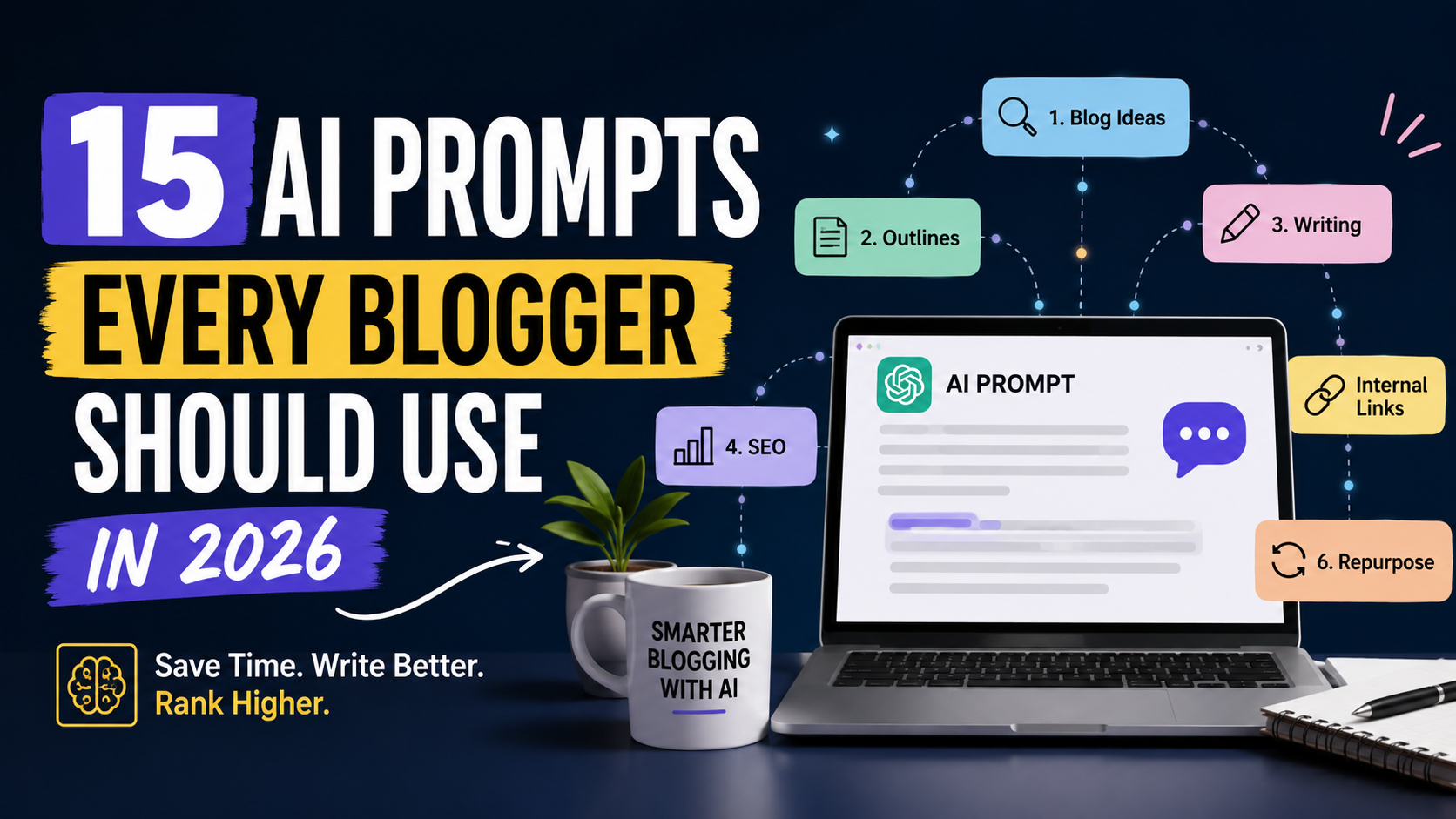
This guide is built around AI prompts for bloggers who want to spend less time stuck and more time publishing. You’ll get 15 ready-to-use prompts covering ideation, research, outlining, writing, SEO, and repurposing, plus guidance on when to trust the output and when to rely on your own judgment instead.
Quick Overview Table for AI prompts for bloggers
| Prompt | What It Helps With | Best For |
|---|---|---|
| 1. Blog Topic Discovery | Finding fresh, non-repetitive topic ideas | New bloggers, content calendars |
| 2. Search Intent Analysis | Understanding what a keyword’s searcher actually wants | SEO beginners, keyword planning |
| 3. Keyword Research | Generating and organizing keyword variations | Affiliate bloggers, SEO planning |
| 4. Topic Cluster | Building pillar and supporting content structures | Site owners building authority |
| 5. Blog Outline | Creating a logical H1/H2/H3 structure | Faster, more organized drafting |
| 6. Competitor Content Analysis | Finding gaps and weak spots in ranking content | Content strategists |
| 7. Blog Introduction | Writing hooks that avoid generic filler | All bloggers |
| 8. Long-Form Blog Writing | Producing a structured first draft | Freelance writers, solopreneurs |
| 9. Humanize AI Content | Editing drafts to sound personal and specific | Anyone publishing AI-assisted drafts |
| 10. SEO Optimization | Reviewing a finished article for ranking factors | SEO beginners |
| 11. Meta Title & Description | Writing click-worthy, length-appropriate metadata | All bloggers |
| 12. Internal Linking | Finding relevant links between articles | Established blogs |
| 13. FAQ & AEO | Creating snippet-friendly Q&A content | AEO, voice search readiness |
| 14. Old Blog Update | Refreshing outdated posts | Blogs with an existing archive |
| 15. Content Repurposing | Turning one post into multiple content formats | Solopreneurs, social media growth |
1. Blog Topic Discovery Prompt
What This Prompt Does
Helps you move past “what should I even write about” by surfacing ideas tied to real audience problems instead of generic listicle topics you’ve seen a hundred times.
Copy-and-Use Prompt
Act as a content strategist for a blog about [TOPIC] aimed at [TARGET AUDIENCE].
Generate 15 blog post ideas that address specific problems this audience faces.
Avoid generic or overused angles. For each idea, include:
1. A working title
2. The core reader problem it solves
3. Whether the intent is informational, commercial, or navigational
4. One reason this topic is worth covering in 2026 specifically

Context: [SEARCH INTENT], [WEBSITE URL]
How to Use It
Fill in your niche and audience details as specifically as possible. Vague inputs produce vague ideas, so avoid one-word topics.
Example
A pet care blogger might input “senior dog owners managing arthritis” instead of just “dogs” and get far more specific, useful ideas back.
Pro Tip
Ask the AI to flag which ideas overlap with content you may have already published, so you don’t cannibalize your own posts.
2. Search Intent Analysis Prompt
What This Prompt Does
It tells you whether a keyword is best answered with a guide, a product page, a comparison, or a quick definition before you waste time writing the wrong format.
Copy-and-Use Prompt
Analyze the likely search intent behind this keyword: [PRIMARY KEYWORD].
Classify it as informational, commercial, navigational, or transactional.
Explain what a searcher is trying to accomplish when they type this.
Then suggest the ideal content format (guide, listicle, comparison, review,
landing page) that would satisfy that intent for [TARGET AUDIENCE].
How to Use It
Run this before you outline anything. If the AI flags commercial intent but you planned a purely educational post, that’s a mismatch worth fixing early.
Example
For “best budgeting apps,” the intent is largely commercial, so a comparison post with pros, cons, and pricing will usually outperform a general “what is budgeting” explainer.
Pro Tip
Cross-check the AI’s classification by actually looking at Google’s top results for that keyword. If they’re all reviews and you planned a listicle, trust the SERP over the AI.
3. Keyword Research Prompt
What This Prompt Does
Generates a starting list of related terms, long-tail variations, and question-based phrases you can validate later with real search data.
Copy-and-Use Prompt
Generate 25 keyword ideas related to [TOPIC] for a blog targeting [TARGET AUDIENCE].
Organize them into these groups:
- Long-tail question keywords
- Comparison or "vs" keywords
- Beginner-level keywords
- Buyer-intent keywords

For each group, briefly note the likely search intent.
How to Use It
Treat this as a brainstorming step, not a final keyword list. AI has no access to real search volume or ranking difficulty.
Important note on limitations: AI is genuinely useful for expanding your keyword thinking and surfacing variations you wouldn’t have considered, but it cannot replace a dedicated keyword research tool. Always validate search volume, difficulty, and trends with an actual SEO tool before committing writing time to a keyword.
Example
Feeding it “meal prep for beginners” might return long-tail options like “meal prep ideas for one person” or “how much does meal prepping cost per week.”
Pro Tip
Paste the AI’s list into your keyword tool afterward and sort by actual search volume, discarding anything with zero real demand.
4. Topic Cluster Prompt
What This Prompt Does
Helps you plan a pillar page and supporting articles so your blog builds topical authority instead of publishing disconnected, one-off posts.
Copy-and-Use Prompt
Act as an SEO content planner. Build a topic cluster for the pillar topic
[TOPIC], targeting [TARGET AUDIENCE].
Provide:
1. One pillar article title and its primary keyword
2. 8-10 supporting article titles, each with a suggested keyword focus
3. How each supporting article should link back to the pillar
4. Any gaps in the cluster that competitors are unlikely to be covering
How to Use It
Use this when planning a new content pillar, not for a single blog post. It works well as a quarterly content calendar starting point.
Example
A pillar on “starting a freelance writing career” could branch into supporting posts on pricing, finding first clients, and setting up invoicing.
Pro Tip
Publish the pillar page last if possible, once a few supporting articles already exist, so you have real internal links ready to insert on launch day.
5. Blog Outline Prompt
What This Prompt Does
Builds a logical heading structure so your draft has a clear flow before you start writing full paragraphs.
Copy-and-Use Prompt
Create an SEO-friendly outline for a blog post titled "[TOPIC]" targeting the
primary keyword [PRIMARY KEYWORD] and secondary keywords [SECONDARY KEYWORDS].
The audience is [TARGET AUDIENCE] and the search intent is [SEARCH INTENT].

Structure the outline with:
- One H1
- 6-9 H2 sections in a logical order
- H3 subpoints where useful
- A suggested FAQ section
- A closing section with a natural next step for the reader
How to Use It
Review the outline for logical flow before writing. Reorder sections if the AI front-loads less important information.
Example
For a post on home coffee brewing, the AI might suggest starting with equipment basics before getting into brewing techniques, which is a more beginner-friendly order.
Pro Tip
Ask the AI to explain why it ordered the sections the way it did. If the reasoning doesn’t hold up for your specific reader, rearrange it yourself.
6. Competitor Content Analysis Prompt
What This Prompt Does
Identifies what top-ranking content is missing so you can add genuine value instead of rewriting the same points everyone else has already covered.
Copy-and-Use Prompt
I am writing an article about [TOPIC] targeting [PRIMARY KEYWORD].
Based on common patterns in top-ranking content for this topic, identify:
1. Subtopics that are frequently missing or underexplained
2. Questions readers likely still have after reading existing articles
3. Sections that tend to be repetitive or generic across competing content
4. Opportunities to add more specific, practical, or updated information

Do not summarize or copy any specific article. Focus on general content gaps.
How to Use It
Use this for inspiration on what to add, not as a shortcut to copy structure or wording from other sites. Always verify gaps by actually reading a few top results yourself.
Example
If most articles on “how to start a podcast” skip over microphone placement and room acoustics, that’s a specific, practical gap worth filling.
Pro Tip
Combine this with your own experience. If you’ve actually done the thing you’re writing about, your real details will outperform anything the AI can guess at.
7. Blog Introduction Prompt
What This Prompt Does
Produces an opening that addresses the reader’s problem immediately instead of stalling with throat-clearing sentences like “In today’s fast-paced world.”
Copy-and-Use Prompt
Write a blog introduction for an article about [TOPIC] targeting [TARGET AUDIENCE].
The reader's main problem is: [describe problem].
Requirements:
- Open with a specific, relatable scenario or observation, not a generic statement
- Get to the reader's problem within the first two sentences
- Briefly state what the article will help them do
- Keep it under 120 words
- Avoid clichés like "in today's digital age" or "unlock the power of"
How to Use It
Generate two or three versions and pick the one that sounds most like something you’d actually say out loud to a friend.
Example
Instead of “Blogging has become increasingly popular in recent years,” a stronger intro opens with the actual frustration: staring at a blank page with no idea where to start.
Pro Tip
Always rewrite the first sentence yourself, even slightly. It’s the part readers judge fastest, and a small personal touch goes a long way.
8. Long-Form Blog Writing Prompt
What This Prompt Does
Turns your outline into a structured first draft while keeping your intended audience and factual scope in view. This is one of the most useful AI prompts for content creation because it saves the most time on the heaviest part of the process.
Copy-and-Use Prompt
Using the outline below, write a first draft of a blog post about [TOPIC]
for [TARGET AUDIENCE]. Search intent is [SEARCH INTENT].

Requirements:
- Use short paragraphs (2-4 sentences)
- Write in an active voice with a practical, conversational tone
- Include specific examples where relevant, not vague generalizations
- Flag any statistic or claim that needs a source with [VERIFY]
- Do not fabricate statistics, studies, or quotes
- Naturally include the keyword [PRIMARY KEYWORD] without forcing it

Outline:
[paste your outline]
How to Use It
Treat the output as a first draft only. Fact-check every flagged claim and any number before publishing, since AI models can generate plausible-sounding but incorrect statistics.
Example
For a post on productivity, the draft might include a claim about “studies showing multitasking reduces productivity by 40 percent. ” Flag it, find a real source, or cut it.
Pro Tip
Write the draft in sections rather than all at once. Shorter requests give the AI more room to stay specific instead of drifting into filler.
9. Humanize AI Content Prompt
What This Prompt Does
Helps you edit an AI-assisted draft so it reads like it came from someone with actual experience, not a template.
Copy-and-Use Prompt
Review this blog draft and rewrite it to sound more natural, specific, and
personal, as if written by someone with real experience in [TOPIC].

Focus on:
- Replacing vague statements with concrete, specific details
- Cutting repetitive phrasing and filler transitions
- Adding a more conversational rhythm with varied sentence length
- Flagging any section where a personal anecdote or first-hand detail
  would strengthen credibility

Draft:
[paste draft]
How to Use It
Use this as an editing pass, not a replacement for adding your own voice. The strongest result comes from you inserting a real detail, opinion, or experience the AI flags as missing.
Example
A generic line like “many people struggle with time management” becomes stronger once you add “I missed three deadlines in a row before I finally tried time-blocking.”
Pro Tip
The goal here is genuine quality and originality, not tricking any detection tool. Content that actually contains your specific insight will always read better than content optimized to “sound human.”
10. SEO Optimization Prompt
What This Prompt Does
Reviews a finished draft against core SEO fundamentals so you catch issues before hitting publish. This is where ai prompts for SEO work best, as a final check rather than the first step.
Copy-and-Use Prompt
Review this blog post for SEO effectiveness. The primary keyword is
[PRIMARY KEYWORD] and secondary keywords are [SECONDARY KEYWORDS].
Search intent is [SEARCH INTENT].

Evaluate:
1. Whether headings follow a logical, scannable structure
2. Whether the keyword appears naturally, without stuffing
3. Missing subtopics the article should address
4. Readability issues (overly long paragraphs, weak transitions)
5. Opportunities for internal links (describe the type of page, not a URL)

Do not suggest repeating the keyword excessively. Prioritize natural language.

Article:
[paste article]
How to Use It
Apply suggestions selectively. If a recommended addition doesn’t serve the reader, skip it, even if it seems SEO-friendly on paper.
Example
The AI might flag that a post on “email marketing for beginners” never actually defines what an email sequence is, which is a real gap worth fixing.
Pro Tip
Run this after you’ve already added your personal insights, not before. Optimizing a bland draft just produces a bland, optimized draft.
11. Meta Title & Meta Description Prompt
What This Prompt Does
Generates click-worthy metadata that respects search engine display limits, so your listing doesn’t get cut off in results.
Copy-and-Use Prompt
Write 5 SEO title options (under 60 characters) and 3 meta description
options (150-160 characters) for a blog post about [TOPIC] targeting the
keyword [PRIMARY KEYWORD].

The title should be compelling but accurate. The description should
include a clear reason to click, without being clickbait or misleading.
How to Use It
Pick the option that most accurately reflects the article’s actual content. Misleading titles increase bounce rate, which hurts you long-term.
Example
For an article on budgeting apps, a strong title might read “7 Budgeting Apps That Actually Work in 2026” rather than something vague like “Best Financial Tools.”
Pro Tip
Check how your title renders in a SERP preview tool before publishing, since character counts can render slightly differently depending on font width.
12. Internal Linking Prompt
What This Prompt Does
Surfaces genuinely relevant connections between your new article and existing content on your site, instead of random or forced links.
Copy-and-Use Prompt
I am publishing a new article about [TOPIC] on [WEBSITE URL].
Here is a summary of the new article: [brief summary].
Here is a list of my existing articles: [paste titles/summaries].

For each relevant match, suggest:
1. Source article (where the link should be placed)
2. Destination article (where it should point)
3. Suggested anchor text
4. A one-sentence reason this link helps the reader

Only suggest links that are genuinely relevant. Skip topics with no clear connection.
How to Use It
Feed it real summaries of your existing posts rather than just titles, since titles alone often aren’t descriptive enough for a good match.
Example
An article about content workflows might reasonably link out to a piece like Best AI Tools for Blogging in 2026 when discussing which AI tools to choose for research or drafting or to How to Use ChatGPT for Blogging when explaining a specific writing workflow.
Pro Tip
Avoid linking to the same article from every section of a piece. One well-placed, relevant link is more useful to readers than three scattered ones.
13. FAQ & AEO Prompt
What This Prompt Does
Creates conversational questions and concise answers formatted to perform well in featured snippets and AI-generated answer engines, an increasingly important part of AI prompts for SEO in 2026.
Copy-and-Use Prompt
Generate 6 FAQ questions and answers for a blog post about [TOPIC]
targeting [TARGET AUDIENCE]. Base the questions on things this audience
would realistically type into a search bar or ask a chatbot.

Requirements:
- Questions should sound conversational, not keyword-stuffed
- Answers should be 2-3 sentences, direct, and specific
- Avoid restating the question word-for-word in the answer
- Do not include a question just to fit in more keywords
How to Use It
Cross-check the “People Also Ask” section on Google for your topic to see if the AI’s questions match real searcher behavior.
Example
For a post on freelance invoicing, a good FAQ might be “How long should I give clients to pay an invoice?” with a direct, specific answer rather than a vague overview.
Pro Tip
Keep answers short enough to stand alone. If an answer needs the rest of the article for context, it won’t work well as a featured snippet.
14. Old Blog Update Prompt
What This Prompt Does
Flags what’s outdated, missing, or weak in an existing post so you can refresh it instead of always starting new content from scratch.
Copy-and-Use Prompt
Review this existing blog post about [TOPIC], originally written for [YEAR/context].
Identify:
1. Any information, examples, or references that are likely outdated by 2026
2. Weak or vague headings that could be more specific
3. Missing subtopics that readers would now expect to see covered
4. Sections that could be shortened, since they're repetitive or filler

Post:
[paste post]
How to Use It
Use this quarterly on your highest-traffic older posts rather than trying to update your entire archive at once.
Example
A 2023 post on “best blogging platforms” likely needs pricing, feature, and screenshot updates, plus a note on any platforms that have shut down since.
Pro Tip
Always verify anything the AI flags as “outdated.” It can guess based on general patterns, but it doesn’t know your specific post’s actual publish date or your niche’s latest developments unless you tell it.
15. Content Repurposing Prompt
What This Prompt Does
Extends the life of one blog post by turning it into multiple pieces of content across other channels, without starting from zero each time.
Copy-and-Use Prompt
Here is a blog post: [paste post or summary].
Repurpose it into:
1. 3 LinkedIn post ideas, each with a different angle and a hook
2. 3 short X/Twitter posts under 280 characters
3. 2 Instagram or short-form caption ideas
4. 1 email newsletter blurb (100-150 words) with a link back to the full post
5. 3 short-form video hook ideas based on the post's most useful point

Match the tone to [TARGET AUDIENCE] and keep each piece self-contained,
not dependent on reading the full article first.
How to Use It
Pick one or two formats at a time rather than trying to post everywhere at once. Consistency in fewer channels usually beats scattered effort across all of them.
Example
A blog post on time management for freelancers could become a LinkedIn post about the “one habit that saved my week,” a newsletter blurb, and a short video hook about the biggest time-waster freelancers overlook.
Pro Tip
Save your best-performing repurposed posts and note the angle that worked. Feed that pattern back into future repurposing prompts for better results over time.
Pros and Cons of Using AI Prompts for Blogging
Pros
-
Faster ideation when you’re stuck on what to write
-
More consistent research and structure across posts
-
Faster first drafts that free up time for editing and personal insight
-
Easier on-page SEO review before publishing
-
Simple content repurposing across social channels
-
Helps beginners learn SEO and content structure by seeing it applied
Cons
-
Generic outputs if your prompts are vague or underspecified
-
Occasional factual errors, especially with statistics, dates, or claims
-
Risk of losing your unique voice if you publish drafts unedited
-
Over-reliance can lead to thin, interchangeable content across the web
-
Still requires human editing, fact-checking, and judgment before publishing
-
AI has no access to real-time search data, so keyword and trend claims need verification
AI prompts are a genuine productivity boost, but they work best as a starting point. The posts that actually build trust and rank well over time are the ones where a real person added specific experience, checked the facts, and made editorial calls the AI couldn’t make on its own.