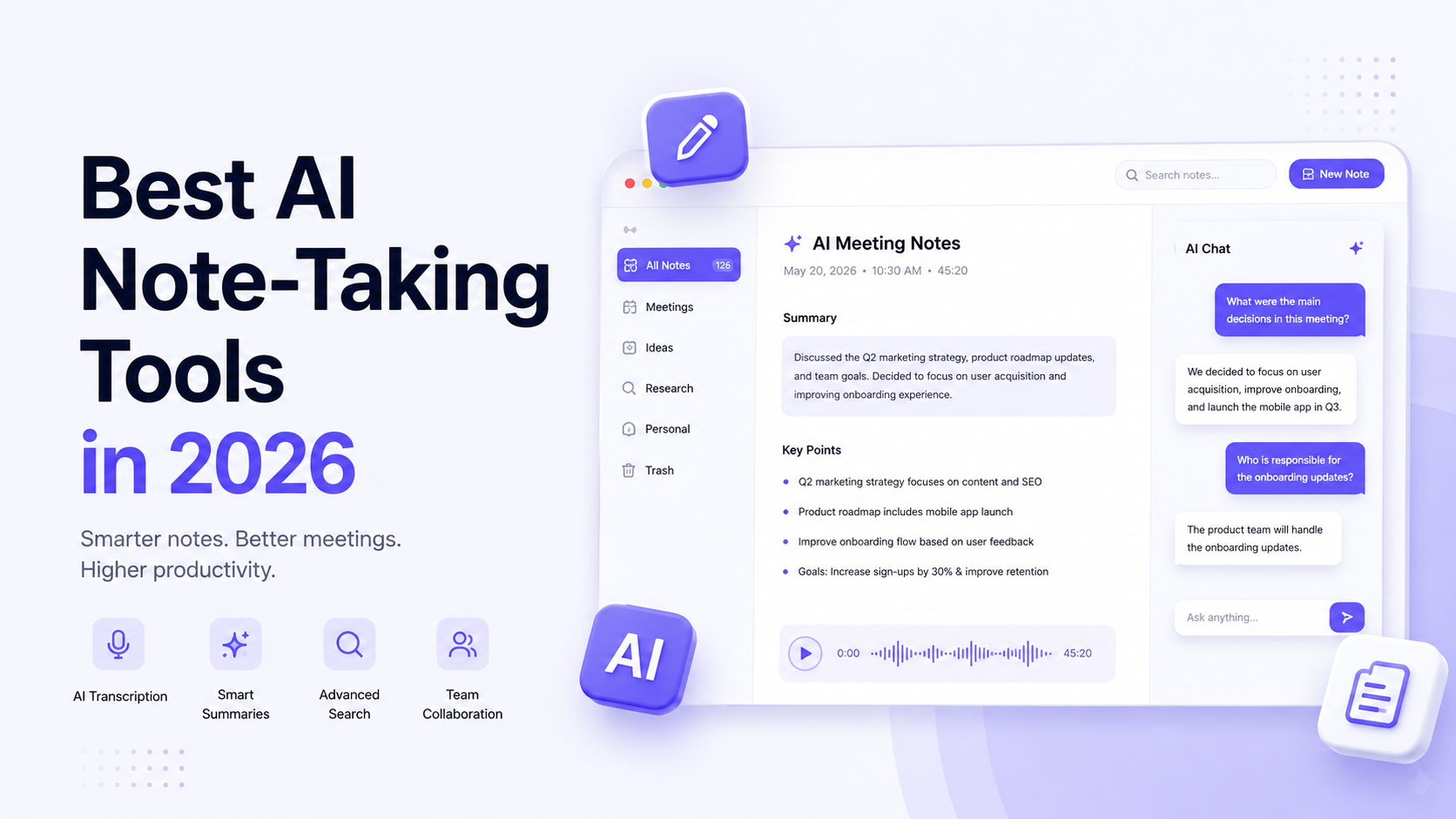
A single back-to-back meeting day can leave anyone with hours of audio, a dozen action items, and almost no memory of who agreed to what. Students face a version of the same problem during long lectures, and researchers face it while conducting interviews or reviewing long documents. AI note-taking tools have become useful precisely because they remove the burden of writing everything down manually, so the person in the room can actually listen.
This comparison looks at 10 AI note-taking tools available in 2026, how they work, what they do well, and where each one falls short.
What Are AI Note-Taking Tools?
AI note-taking tools use artificial intelligence to capture, transcribe, and summarize spoken or written information, then organize it into structured, searchable notes. Unlike traditional note-taking apps, which rely entirely on manual typing, these tools can listen to meetings, identify speakers, extract action items, and generate summaries automatically, with varying levels of accuracy and depth depending on the product.
How Do AI Note-Taking Tools Work?
Most AI note-taking tools follow a similar general workflow, though the details vary by product.
- Capture audio, text, or information. This might happen through a meeting bot that joins a video call, a desktop app that records system audio, or manual text and document input.
- Transcribe or process information. Speech is converted into text, or written material is parsed and structured.
- Identify important points. The system flags decisions, action items, key topics, or questions.
- Generate summaries or structured notes. A condensed version of the conversation or document is produced automatically.
- Organize information. Notes are filed into folders, workspaces, or searchable archives.
- Allow users to review or act on the notes. Users can edit, share, export, or connect notes to other tools like a CRM or task manager.
Not every tool performs every step, and the quality of transcription, summarization, and organization differs meaningfully across products.
What Should You Look for in an AI Note-Taking Tool?
A few factors tend to matter most when comparing options.
- Transcription quality. Accuracy varies by accent, background noise, and number of speakers.
- AI summaries. Some tools generate short recaps; others produce detailed structured notes with action items.
- Speaker identification. Useful for multi-person meetings and interviews.
- Search. The ability to search across past notes and transcripts by keyword or topic.
- Integrations. Connections to calendars, CRMs, project management tools, and messaging apps.
- Organization. Folders, tags, or workspace structures that keep notes usable over time.
- Meeting support. Whether the tool joins video calls directly or works from uploaded recordings.
- Export options. Whether notes can be downloaded, shared, or pushed into other systems.
- Privacy and security. How audio and transcripts are stored, and whether data is used for AI training.
- Collaboration. Shared folders, team workspaces, and commenting features.
- Pricing. Free tiers, per-seat costs, and usage caps that affect real-world cost.
No single feature guarantees a better outcome. The right combination depends on how and why someone is taking notes.
Best AI Note-Taking Tools in 2026
Otter.ai
Official website: Otter.ai
Best for: Individuals and teams that need reliable meeting transcription with a long track record.
Key AI features: Live transcription, automated summaries, speaker identification, an AI chat feature for querying past transcripts, and integrations with Zoom, Google Meet, and Microsoft Teams.
Main strengths: Mature transcription engine, wide platform integration, and a free tier that works for light, occasional use.
Limitations: The free Basic plan is capped at 300 transcription minutes per month with a 30-minute limit per conversation, and Pro plan minute allowances have been reduced in recent updates without a price decrease.
Pricing: A free basic plan is available. Paid Pro and Business plans are billed per user per month, with lower rates on annual billing. Check the official website for current pricing.
Who should use it: Professionals and students who need dependable meeting transcription and are comfortable working within monthly minute limits.
Fireflies.ai
Official website: Fireflies.ai
Best for: Teams that want meeting notes synced directly into a CRM.
Key AI features: Automatic transcription in more than 100 languages, AI-generated bullet-point notes during calls, action item extraction, and a “Talk to Fireflies” feature that lets users ask questions during meetings.
Main strengths: Strong CRM integration with tools like Salesforce and HubSpot, and unlimited basic transcription and summaries even on paid entry tiers.
Limitations: Advanced AI features such as detailed summaries and highlights run on a monthly credit system, so heavy users can hit caps and need to purchase additional credits.
Pricing: A free plan is available with limited storage. Paid Pro, Business, and Enterprise plans are billed per user per month, with annual billing offering a meaningful discount. Check the official website for current pricing.
Who should use it: Sales and customer-facing teams that want meeting notes to flow directly into their existing CRM workflow.
Fathom
Official website: Fathom
Best for: Individuals and teams who want a generous free plan for meeting recording and transcription.
Key AI features: Automatic recording and transcription across Zoom, Google Meet, and Microsoft Teams, AI-generated summaries, action item extraction, and CRM sync on higher tiers.
Main strengths: The free plan includes unlimited recording, transcription, and storage, which is more generous than many competitors’ free tiers.
Limitations: Free-plan users are limited to a small number of AI-generated summaries per month, after which only a basic chronological transcript is available.
Pricing: A free plan is available. Paid Premium, Team, and Business plans are billed per user per month, with lower annual rates. Check the official website for current pricing.
Who should use it: Individuals or small teams who want unlimited recording without paying and are willing to upgrade once they need more AI summaries or CRM sync.
Granola
Official website: Granola
Best for: Professionals who want private, bot-free meeting notes.
Key AI features: AI-enhanced notes built from a user’s own rough notes plus system audio, AI chat for querying past meetings, and custom templates.
Main strengths: Granola does not send a visible bot into meetings. It captures audio directly from the user’s device, which means other participants are not notified that notes are being generated.
Limitations: The free plan has a limited note history, and Granola requires a desktop app on Mac or Windows, with no web or Android app currently available.
Pricing: A free basic plan is available. A business plan is billed per user per month, and an enterprise plan adds administrative controls at a higher per-user rate. Check the official website for current pricing.
Who should use it: Professionals who value discretion in meetings and prefer a personal, notes-first workflow over a visible meeting bot.
Notion AI
Official website: Notion
Best for: Teams that already use Notion as a workspace and want notes integrated with docs, tasks, and databases.
Key AI features: AI meeting notes that auto-transcribe and summarize calendar-linked meetings, an AI agent that can build databases or draft pages from notes, and workspace-wide AI search.
Main strengths: Notes live inside the same workspace as documents, project trackers, and wikis, which reduces the need to switch between separate tools.
Limitations: Full AI features, including AI Meeting Notes, require the business plan. Lower tiers only include a limited trial of Notion AI.
Pricing: Free and Plus plans are available without full AI access. The business plan, which unlocks AI meeting notes and other AI features, is billed per member per month, with a lower rate on annual billing. Check the official website for current pricing.
Who should use it: Teams already invested in Notion who want meeting notes to live alongside their existing documents and project data.
Google NotebookLM (Gemini Notebook)
Official website: Google NotebookLM
Best for: Students and researchers who need to take notes on and question long documents rather than live meetings.
Key AI features: Source-grounded question answering across uploaded documents, automatically generated audio and video overviews, study guides, flashcards, and quizzes.
Main strengths: Responses are grounded in the user’s own uploaded sources rather than the open internet, which reduces the risk of the tool inventing information. Google renamed the product to Gemini Notebook in mid-2026, though many users still know it by its original name.
Limitations: It is built around documents and sources rather than live meeting transcription, so it is not designed to join calls or record conversations directly.
Pricing: A free tier is available with meaningful usage limits. Paid access is bundled into Google AI subscription plans rather than sold as a standalone product. Check the official website for current pricing.
Who should use it: Students, researchers, and content creators who need to digest long documents, papers, or reports and ask questions about them.
Microsoft OneNote with Copilot
Official website: Microsoft OneNote
Best for: Users already working inside the Microsoft 365 ecosystem.
Key AI features: Microsoft 365 Copilot integration brings AI summarization, meeting recaps, and to-do list creation into OneNote’s freeform notebook environment.
Main strengths: OneNote’s freeform canvas allows typed text, handwriting, screenshots, and pasted content to sit together, and Copilot’s AI features connect notes with Word, Outlook, and Teams data.
Limitations: The AI features are not part of the free standalone OneNote app. They require a qualifying Microsoft 365 or Copilot-enabled subscription.
Pricing: OneNote itself is available as a free standalone app. Copilot AI features require a paid Microsoft 365 plan that includes Copilot access. Check the official website for current pricing.
Who should use it: Organizations and individuals already paying for Microsoft 365 who want AI notes without adopting a separate app.
tl;dv
Official website: tl;dv
Best for: Sales and customer-facing teams that want meeting intelligence beyond basic notes.
Key AI features: Automatic transcription in more than 30 languages, AI-generated summaries and tags, global meeting search, and, on higher tiers, AI sales coaching and cross-meeting analytics.
Main strengths: tl;dv leans toward revenue teams, with CRM sync to Salesforce and HubSpot and the ability to analyze patterns across multiple calls rather than just one at a time.
Limitations: The free plan restricts the number of AI summaries per month, and the coaching and analytics features that differentiate TL;DV are reserved for paid tiers.
Pricing: A free plan is available. Paid Pro and Business plans are billed per user per month, with a lower rate on annual billing, and a custom Enterprise plan is available for larger organizations. Check the official website for current pricing.
Who should use it: Sales and customer success teams that want coaching insights and CRM automation layered on top of meeting notes.
ClickUp Brain (AI Notetaker)
Official website: ClickUp
Best for: Teams that want meeting notes to convert directly into tasks inside a project management workspace.
Key AI features: An AI notetaker that joins Zoom, Microsoft Teams, and ClickUp’s own SyncUp calls to transcribe and summarize meetings, plus AI-generated action items that can be turned into tasks.
Main strengths: Meeting notes are tied directly to ClickUp’s task and project structure, which suits teams that already manage work inside ClickUp.
Limitations: AI Notetaker functionality requires ClickUp’s separate Brain AI add-on, which is billed on top of a paid ClickUp workspace plan, and usage is metered through an AI credit system.
Pricing: ClickUp’s core workspace plans range from a free tier to paid per-user plans. The Brain AI add-on that includes the AI Notetaker is billed separately per user per month. Check the official website for current pricing.
Who should use it: Project-driven teams that want meeting notes to flow straight into task assignments rather than living in a separate notes app.
Fellow
Official website: Fellow
Best for: Managers and teams that run structured recurring meetings, including one-on-ones.
Key AI features: AI meeting transcription and summaries, collaborative agendas, automated action item tracking, and dedicated one-on-one meeting tools.
Main strengths: The fellow is built around meeting structure and accountability, not just transcription, with shared agendas and persistent tracking of commitments across recurring meetings.
Limitations: The free plan’s AI features are capped on a lifetime basis rather than a monthly basis, and Fellow’s core value depends on ongoing meeting rituals, so solo users without regular team meetings gain less from it.
Pricing: A free plan is available for smaller teams. Paid Team, Business, and Enterprise plans are billed per user per month, with lower annual rates. Check the official website for current pricing.
Who should use it: Managers who run regular one-on-ones and team meetings and want notes tied to long-term accountability rather than single-call transcription.
Best AI Note-Taking Tool for Meetings
Based on verified features, Fathom and Fireflies.ai stand out for pure meeting transcription and summarization, with Fathom offering the more generous free tier and Fireflies.ai offering stronger CRM depth on paid plans. Teams running high call volumes with sales workflows may lean toward Fireflies.ai or tl;dv, while individuals who mostly want reliable recording without cost may prefer Fathom.
Best AI Note-Taking Tool for Students
Google NotebookLM is well suited to students because it is built around documents, lecture materials, and readings rather than live meetings, and it can generate study guides, flashcards, and quizzes directly from uploaded sources. Otter.ai is also commonly used for recording and transcribing lectures. Neither tool guarantees improved academic performance; the value comes from faster review and organization of material, not from any claim about learning outcomes.
Best AI Note-Taking Tool for Research
AI note-taking tools can help researchers organize interview transcripts, discussion notes, and source materials into searchable, structured formats, which makes it easier to return to specific points later without re-reading everything. Google NotebookLM in particular is designed around grounding answers in a user’s own uploaded documents, which suits literature review and source analysis. For a broader look at tools built specifically for gathering and evaluating research material, see this list of AI research tools, which covers a different category of AI-assisted research workflow.
Best AI Note-Taking Tool for Teams
For teams, the right pick depends on workflow. ClickUp Brain fits teams that want notes to become tasks automatically inside an existing project management system. Fellow fits teams built around structured recurring meetings and one-on-ones. Notion AI fits teams that already keep documentation and project tracking inside Notion and want meeting notes to live in the same place.
AI Note-Taking Tools Comparison Table
| Tool | Best For | AI Summaries | Transcription | Collaboration | Free Option |
|---|---|---|---|---|---|
| Otter.ai | Reliable meeting transcription | Yes. | Yes. | Limited on free tier | Yes, with minute caps. |
| Fireflies.ai | CRM-connected sales teams | Yes, credit-limited on advanced features | Yes. | Yes. | Yes, with storage caps. |
| Fathom | Free unlimited recording | Yes, capped on the free tier. | Yes. | Limited on free tier | Yes. |
| Granola | Private, bot-free notes | Yes. | Yes. | Yes, on paid tiers | Yes, with limited history |
| Notion AI | Workspace-integrated notes | Yes, on the business plan | Yes, on the business plan | Yes. | Limited trial only |
| Google NotebookLM | Document-based research and study | Yes. | Not meeting-based | Limited | Yes. |
| Microsoft OneNote with Copilot | Microsoft 365 users | Yes, with Copilot | Yes, with Copilot | Yes. | OneNote itself is free. |
| tl;dv | Sales coaching and analytics | Yes, capped on the free tier. | Yes. | Yes. | Yes. |
| ClickUp Brain | Task-linked meeting notes | Yes, an add-on is required. | Yes, an add-on is required. | Yes. | Trial access only |
| Fellow | Structured recurring meetings | Yes, a lifetime cap on the free tier | Yes. | Yes. | Yes, limited AI use |
AI Note-Taking Tools vs Traditional Note-Taking
Manual notes depend entirely on the person writing them down in real time, which means details get missed, especially in fast-moving conversations. Automated transcription solves the capture problem by recording everything that was said, but a raw transcript is often too long and unstructured to be useful on its own. AI-generated summaries close that gap by condensing a transcript into key points, decisions, and action items.
None of this removes the need for human review. AI-generated summaries can miss context, misattribute a point to the wrong speaker, or overlook nuance in a sensitive discussion. Reviewing and editing AI notes, particularly for anything involving commitments, figures, or legal or medical details, remains an important step rather than an optional one.
Privacy and Security Considerations
AI note-taking tools typically involve recording audio, generating transcripts, and storing that data in the cloud, which raises several considerations worth thinking through before adopting one.
- Understand whether meeting audio is stored indefinitely or deleted after a set period.
- Check whether transcripts and recordings are used to train the provider’s AI models and whether that can be disabled.
- Review who within an organization can access stored notes and recordings.
- Consider participant consent, especially for external calls, interviews, or meetings involving sensitive information.
- Confirm data retention and deletion policies match your organization’s compliance requirements.
Specific privacy or security claims should always be verified against a provider’s current privacy policy and terms of service rather than assumed from general reputation.
Common Mistakes When Choosing an AI Note-Taking Tool
- Choosing a tool based only on popularity rather than fit for your actual workflow.
- Ignoring transcription quality, which varies with accents, background noise, and number of speakers.
- Overlooking privacy policies and data retention practices.
- Not checking whether the tool integrates with the calendar, CRM, or project tools you already use.
- Assuming a tool works with every meeting platform without checking supported integrations.
- Ignoring export options, which matter if you need to move notes elsewhere later.
- Comparing only free plans without considering what paid tiers unlock.
- Failing to verify current pricing, since plans and limits change frequently.
How to Choose the Right AI Note-Taking Tool
- Identify your main use case: meetings, lectures, research, or structured team rituals.
- Check which meeting platforms or document types the tool supports.
- Evaluate your transcription needs, including language and speaker count.
- Compare the depth of AI features, from basic summaries to action item automation.
- Check integrations with your calendar, CRM, or task management system.
- Review the provider’s current privacy policy and data retention practices.
- Compare pricing across the plans that actually meet your usage level, not just the free tier.
- Test the workflow with real meetings or documents before committing to a paid plan.
Final Verdict
There is no single best AI note-taking tool for every situation. Fathom and Fireflies.ai are strong picks for straightforward meeting transcription. Students and researchers working with documents rather than live calls are often better served by Google NotebookLM. Teams built around recurring structured meetings may prefer Fellow, while project-driven teams may prefer ClickUp Brain or Notion AI for how tightly notes connect to existing work. Granola stands out for anyone who wants a private, bot-free capture method. The right choice depends on whether the priority is meetings, research, task automation, or team accountability.
Final Thoughts
AI note-taking tools have moved well beyond simple transcription. Many now summarize, organize, and connect notes directly into the tools people already use for tasks and follow-up work. Picking the right one comes down to matching the tool’s specific strengths, whether that is CRM integration, document-based research, or structured meeting rituals, to how you actually work, rather than defaulting to whichever tool is most talked about.

Nikunj Pandya
Nikunj Pandya is an AI and technology professional with over 5 years of experience exploring how emerging technologies can solve real-world problems. He focuses on Artificial Intelligence, AI Search, and AI tools, sharing practical insights to help readers understand and make better use of new technology.