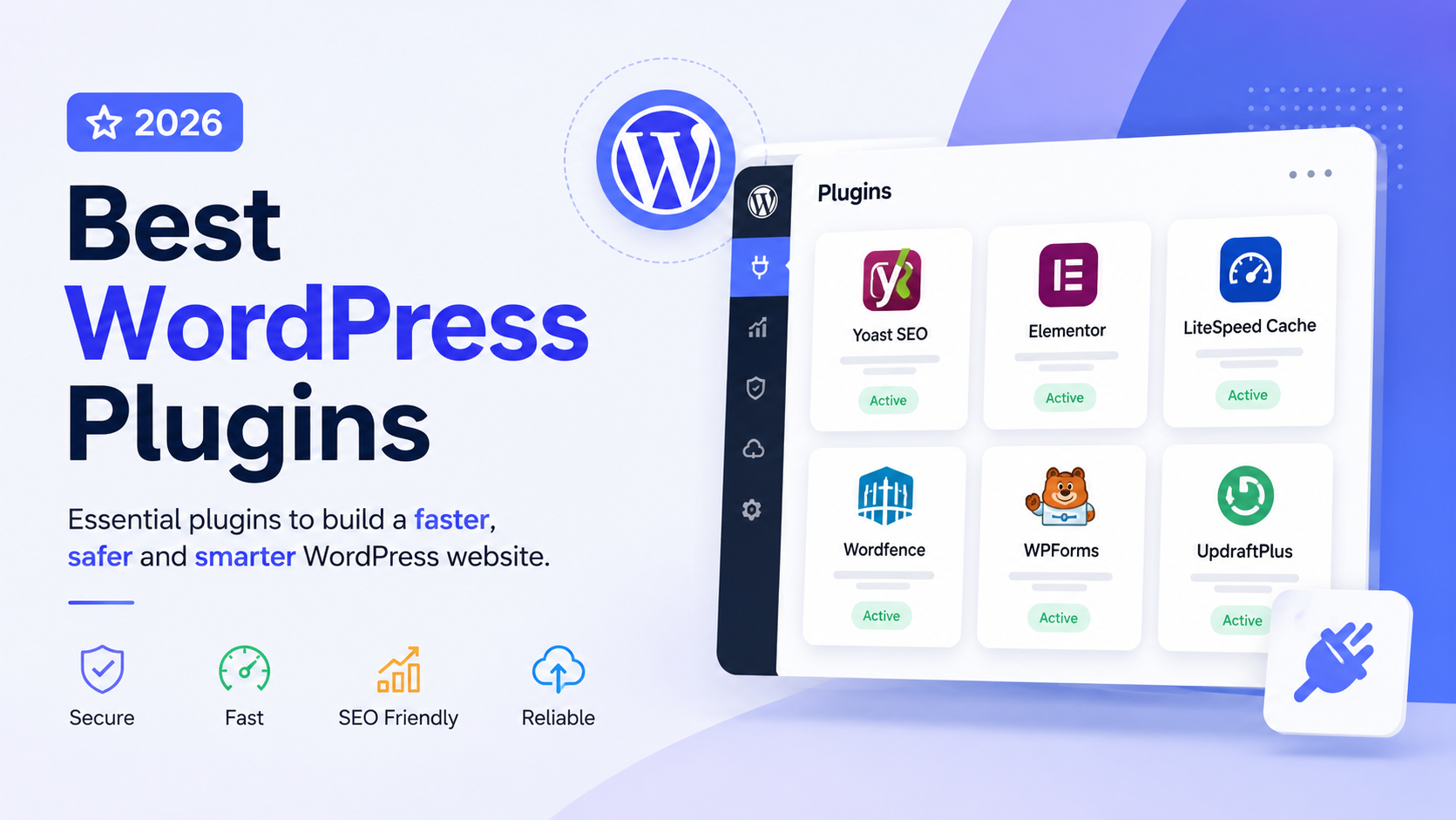
Every WordPress site eventually faces the same question: which plugins are actually worth installing? Search the topic and you will find dozens of “30 best plugins” roundups that mostly repeat each other. That approach misses the real problem. Most WordPress sites do not fail because they are missing a plugin. They fail because they have too many plugins doing overlapping jobs, several of them outdated, and nobody quite remembers why half of them were installed.
This article takes a different approach. Instead of a long list, it walks through the actual jobs a blog or business site needs done, names the best WordPress plugins for each job in 2026, and explains who should use which one and why. The goal is a lean, reliable plugin stack, not a crowded dashboard.
Direct Answer
The best WordPress plugins for most bloggers and business websites in 2026 cover eleven core jobs: SEO (Rank Math or Yoast SEO), page building (Elementor or the native Block Editor with a lightweight builder), performance and caching (WP Rocket or LiteSpeed Cache), security (Wordfence or Sucuri), backups (UpdraftPlus or BlogVault), contact forms (WPForms or Fluent Forms), analytics (MonsterInsights or Site Kit by Google), image optimization (ShortPixel or Imagify), email delivery (WP Mail SMTP or FluentSMTP), ecommerce (WooCommerce), spam protection (Akismet), and code management (WPCode). No site needs a plugin from every category, and very few sites need more than one plugin per category.
Key Takeaways
-
Choose one plugin per function. Running two SEO plugins, two caching plugins, or two firewall plugins causes conflicts, not better results.
-
Popularity is not the same as fit. A plugin with millions of installs can still be the wrong choice for a small blog or a lean business site.
-
Free versions of Rank Math, WPForms, Updraft Plus, WP Rocket alternatives like LiteSpeed Cache cover most real-world needs before a paid upgrade makes sense.
-
Business websites generally need stronger security and backup coverage than personal blogs, while e-commerce sites need dedicated performance and payment-security attention.
-
Plugin quality and maintenance history matter more than plugin count. A site with 8 well-chosen, actively maintained plugins will usually outperform one with 25.
How We Selected These WordPress Plugins
Each recommendation here was evaluated against five practical criteria: current maintenance status and compatibility with recent WordPress versions, the strength and honesty of the free tier, real limitations rather than marketing claims, how the plugin behaves alongside other common tools, and whether it solves one job well rather than trying to do everything. Where pricing or install figures are mentioned, they reflect publicly available data from WordPress.org and official vendor pages, cross-checked against current comparison research such as this Rank Math vs Yoast breakdown. Where current figures could not be confirmed, this article avoids stating a specific number.
Best WordPress Plugins at a Glance
| Plugin | Best for | Free option | Main strength | Best suited to |
|---|---|---|---|---|
| Rank Math | SEO | Yes, generous | Rich free feature set, lighter codebase | Bloggers and businesses wanting SEO control without upgrading fast |
| Yoast SEO | SEO | Yes, basic | Readability analysis, editorial maturity | Teams with multiple non-technical writers |
| Elementor | Page building | Yes, limited | Visual flexibility, huge ecosystem | Business sites needing custom layouts |
| WP Rocket | Performance | No | One-click caching setup | Business sites wanting minimal configuration |
| LiteSpeed Cache | Performance | Yes. | Free and powerful on LiteSpeed hosting | Budget-conscious sites on compatible hosting |
| Wordfence | Security | Yes, strong | Firewall plus malware scanning | Business sites and any site handling logins/forms |
| UpdraftPlus | Backups | Yes, solid. | Scheduled backups to cloud storage | Almost every WordPress site |
| WPForms | Contact forms | Yes, basic | Simple drag-and-drop builder | Beginners and small businesses |
| MonsterInsights | Analytics | Yes, basic | GA4 data inside WordPress | Site owners who dislike the GA4 interface |
| ShortPixel | Image optimization | Yes, limited | Strong compression, WebP/AVIF support | Image-heavy blogs and portfolios |
| WP Mail SMTP | Email delivery | Yes, solid. | Fixes missing form/notification emails | Every contact-form-driven site |
| WooCommerce | Ecommerce | Yes, core | Native WordPress integration | Anyone selling products through WordPress |
| Akismet | Spam protection | Yes, limited | Automatic comment and form spam filtering | Sites with open comments or forms |
| WPCode | Code snippets | Yes, strong | Safe custom code without editing theme files | Anyone adding tracking codes or small tweaks |
Best WordPress SEO Plugin
An SEO plugin handles metadata, sitemaps, schema markup, and technical signals that would otherwise require manual coding. Rank Math and Yoast SEO dominate this category, and the choice between them comes down to what you value.
Rank Math’s free tier includes multiple focus keywords per post, built-in schema types, a redirect manager, and a 404 monitor, features that Yoast reserves for its premium plan. Independent testing has also found Rank Math’s codebase noticeably lighter than Yoast’s, which matters if you are running modest hosting, according to comparisons like the one from Zapier.
Yoast SEO remains the market leader by install count and is still the stronger choice for teams with multiple non-technical writers, thanks to its clearer readability analysis and longer track record. Its free version limits you to one focus keyword per post, and its premium pricing is charged per site rather than per account, which gets expensive across multiple properties.
Best for: anyone publishing content that needs to rank in search.
Who may not need it: a small brochure site with two or three static pages and no blog can often get by with WordPress’s built-in SEO fields and a lightweight plugin like The SEO Framework.
Do not run Rank Math and Yoast together. They both write conflicting meta tags and schema, and this is one of the most common causes of duplicate title tags on WordPress sites.
Best WordPress Page Builder
Elementor remains the most widely used visual page builder, with a large template library and a free version capable of handling most landing pages and custom layouts. Its limitation is added page weight if you install every add-on module, so restraint matters here too.
For business sites that need clean, fast pages without heavy visual editing, the native WordPress Block Editor combined with a well-coded block theme is often the better performance choice. It avoids the extra CSS and JavaScript that page builders load on every page.
Best for: businesses needing custom landing pages, portfolios, or service pages with visual control.
Who may not need it: simple blogs where a clean, pre-built theme already handles layout. Adding a page builder here often just adds page weight for no visual gain.
Best WordPress Performance Plugin
WP Rocket is a premium caching plugin known for a setup that works well immediately, without deep technical knowledge. It handles page caching, some image lazy-loading, and basic minification in one interface.
LiteSpeed Cache is the strongest free alternative, but its full feature set depends on running LiteSpeed server software, which many hosts now support. On compatible hosting, it performs comparably to paid options at no cost.
Best for: any site that has grown past a handful of pages or gets meaningful traffic.
Important limitation: caching plugins can conflict badly with each other and with some page builders’ preview modes. Run exactly one caching plugin, and check your host’s dashboard first, since many managed WordPress hosts already provide caching at the server level, making a caching plugin redundant. For more detail on getting this right, see [How to Speed Up a WordPress Website in 2026].
Best WordPress Security Plugin
Wordfence combines a firewall, malware scanner, and login security in one plugin, with a free version that covers real protection, not just a teaser. Sucuri is a strong alternative, particularly valued for its external monitoring and cleanup services when a site has already been compromised.
Best for: business websites, sites with user accounts, and anything handling customer data or payments.
Who may not need it: a static personal blog with no logins, forms, or ecommerce still benefits from basic hardening, but may not need the full real-time firewall scanning that a business site handling transactions does.
Avoid stacking multiple security plugins. Two firewalls scanning the same requests do not double your protection; they slow the site down and can lock out legitimate traffic. For a full walkthrough of hardening a site properly, see [How to Secure a WordPress Website in 2026].
Best WordPress Backup Plugin
UpdraftPlus is the most widely used backup plugin, with scheduled backups that push to cloud storage like Google Drive or Dropbox, and a free tier that covers the essentials most sites need. BlogVault is a paid alternative worth considering for business sites where downtime is costly, since it stores backups off-server and offers faster restores.
Best for: every WordPress site, without exception.
Important limitation: many hosting providers already include backups. Check before installing a second layer that duplicates storage and backup jobs unnecessarily. A reliable backup routine is also what makes the difference when things go wrong after a core update, as covered in [WordPress Site Not Working After an Update?]. Find the Cause and Recover Safely.
Best WordPress Contact Form Plugin
WPForms offers a genuinely beginner-friendly drag-and-drop builder, with a free version that covers basic contact and feedback forms. Fluent Forms is a strong alternative with more advanced free-tier features, including conditional logic and payment integrations, making it appealing for businesses that want more than a simple contact form without paying immediately.
Best for: any site that needs visitors to submit information.
Who may not need it: if you only need one simple contact form, WordPress’s native comment or block-based form options combined with a lightweight plugin may be enough. Installing a full form-builder suite for a single form is unnecessary overhead.
Best WordPress Analytics Plugin
MonsterInsights brings Google Analytics 4 data into the WordPress dashboard, which helps site owners who find the standalone GA4 interface confusing. Site Kit by Google is the official alternative, connecting Search Console, Analytics, and AdSense data without a third-party layer.
Best for: anyone who wants traffic data without leaving WordPress.
Important limitation: these plugins are dashboards, not data sources. You still need a Google Analytics account, and the plugin itself does not improve your traffic. If you are comfortable using Google Analytics directly, you may not need either plugin at all.
Best WordPress Image Optimization Plugin
ShortPixel and Imagify both compress images and convert them to modern formats like WebP or AVIF, reducing page weight considerably. ShortPixel’s free tier includes a limited monthly image quota, which is usually enough for smaller blogs, while heavier publishers will need a paid plan on either tool.
Best for: photography sites, blogs with many images, and any site where Core Web Vitals scores are being dragged down by large media files.
Who may not need it: sites using a modern host or CDN that already compresses and serves images automatically may find a dedicated plugin redundant.
Best WordPress SMTP Plugin
WP Mail SMTP solves one specific, common problem: WordPress’s default mail function is unreliable, and form notifications or password reset emails often land in spam or never arrive. Connecting a proper SMTP provider through this plugin fixes deliverability. FluentSMTP is a solid free alternative with support for multiple connections.
Best for: any site relying on contact forms, WooCommerce order emails, or password resets.
Important limitation: the plugin does not send email itself, it routes delivery through a third-party SMTP service, so you will still need an account with a provider like Google Workspace, SendGrid, or a similar service.
Best WordPress Ecommerce Plugin
WooCommerce remains the standard for adding a store to a WordPress site, integrating natively with the platform rather than bolting on a separate system. It is free at its core, but a functioning store typically needs a payment gateway extension and often a handful of specific add-ons for shipping or tax, which is where costs accumulate.
Best for: anyone selling physical or digital products directly through their WordPress site.
Important limitation: WooCommerce stores are more demanding on hosting and caching setup than a standard blog. A store running on the same cheap shared hosting plan as a blog will often struggle at checkout under load.
Best WordPress Spam Protection Plugin
Akismet is the long-standing default for filtering comment and form spam, built by Automattic and pre-installed on many WordPress setups. Its free tier suits personal blogs, while business and commercial use requires a paid plan.
Best for: any site with open comments, contact forms, or user registration.
Who may not need it: sites with comments disabled and a form plugin that already includes honeypot or CAPTCHA-based spam filtering may not need a second layer.
Best WordPress Code Snippet Plugin
WPCode lets you add tracking codes, small PHP functions, or custom scripts without editing your theme’s functions. php file directly, which avoids a common cause of white-screen errors after a bad edit.
Best for: anyone who occasionally needs to add a tracking pixel, custom CSS, or a small functional tweak without touching theme files.
Important limitation: it is a convenience tool, not a substitute for proper development. Complex custom functionality still belongs in a child theme or a dedicated custom plugin.
You Don’t Need All of These Plugins
This is the part most “best plugins” articles skip, and it matters more than any individual recommendation above.
Every plugin you install adds a database call, a settings page to maintain, and a potential conflict point with your theme or other plugins. A handful of practical rules keep a WordPress site healthy:
-
Do not run two SEO plugins on the same site. Rank Math and Yoast will both try to control your meta titles, descriptions, and schema. The result is duplicate or conflicting tags, not better rankings.
-
Avoid multiple caching systems unless your setup genuinely requires layering them, such as a CDN plus a plugin-level page cache configured deliberately together. Two plugin-level caches fighting over the same job usually causes broken layouts or stale content.
-
Do not stack several security plugins performing the same function. One firewall and one malware scanner are enough. Running Wordfence and Sucuri’s firewall simultaneously does not add protection; it adds resource load and false-positive lockouts.
-
Do not choose a plugin purely because it has millions of installs. Popularity reflects broad usability, not fit for your specific site. A large ecommerce-focused SEO plugin is often overkill for a five-page portfolio site.
-
Match the plugin to the actual need. If you do not sell anything, you do not need WooCommerce installed “just in case.” If your images are already small and few, an image optimization plugin adds nothing.
How Many WordPress Plugins Should You Install?
There is no universal number, but a useful benchmark is this: most well-run blogs run comfortably with 6 to 10 plugins, and most business or e-commerce sites run with 10 to 15. Beyond that range, each additional plugin should have a clear, specific job that nothing else on the site is already doing. If you cannot explain in one sentence why a plugin is installed, it is a candidate for removal.
Plugin quality also outweighs plugin count. A site running ten actively maintained plugins from established developers will generally be more stable and secure than a site running twenty plugins, several of which have not been updated in over a year. Before keeping any plugin long-term, check its last update date and compatibility notes on its WordPress.org listing.
How to Choose the Right WordPress Plugin
When evaluating any plugin for one of the categories above, run through this short checklist:
-
Is it actively maintained, with updates in the last few months and confirmed compatibility with the current WordPress version?
-
Does the free tier actually solve your problem, or does it exist mainly to push a paid upgrade?
-
Does it duplicate a function another plugin on your site already performs?
-
Does it add meaningful page weight or database queries for a feature you will rarely use?
-
Would a WordPress core feature or your theme’s built-in options already do this job?
Recommended Plugin Stacks for Different Websites
For a beginner blog: Rank Math (SEO), a lightweight caching plugin like LiteSpeed Cache if supported by your host, UpdraftPlus (backups), WPForms Lite (contact form), Akismet (spam protection).
For a business website: Yoast SEO or Rank Math (SEO), Elementor (page building), WP Rocket (performance), Wordfence (security), UpdraftPlus or BlogVault (backups), WPForms or Fluent Forms (contact and lead forms), WP Mail SMTP (email delivery), MonsterInsights (analytics).
For an SEO-focused blog: Rank Math (SEO), LiteSpeed Cache or WP Rocket (performance, since Core Web Vitals affect rankings), ShortPixel (image optimization), Site Kit by Google or MonsterInsights (search performance tracking), UpdraftPlus (backups).
For an ecommerce website: WooCommerce (store), Rank Math (SEO, including product schema), WP Rocket (performance, given the higher demands of a store), Wordfence (security, given payment and customer data), BlogVault or UpdraftPlus with off-site storage (backups), WP Mail SMTP (order and account emails).
Final Recommendations
If you are starting from scratch, install one plugin per core function, beginning with SEO, backups, and either security or performance depending on which your site needs most urgently. Add contact forms and analytics once the site has real content and traffic. Add ecommerce, advanced image optimization, or code snippet tools only when the site’s actual activity calls for them, not preemptively.
Revisit your plugin list every few months. Deactivate and delete anything you installed to test and forgot about, anything replaced by a newer choice, and anything whose developer has stopped updating it.
Conclusion
The best WordPress plugins in 2026 are not the ones with the biggest install counts or the longest feature lists. They are the ones that solve a real job on your specific site without fighting with everything else you have installed. A blogger, a small business, and an ecommerce store each need a different combination from the categories covered here, but the underlying discipline is the same: pick one reliable plugin per function, understand its limitations, and resist the urge to add more just because a plugin looks impressive. A lean, well-maintained stack will consistently outperform a crowded one, both in speed and in long-term stability.

Jigar Pandya
Jigar Pandya is a Technology and WordPress professional with over 6 years of experience building and improving websites. His work covers WordPress development, website performance, and modern web technologies, with a focus on creating websites that are fast, reliable, and easy to use.