Research in 2026 looks nothing like it did five years ago. What used to take hours of sifting through search results, paywalled journals, and scattered PDFs now takes minutes with the right AI tool in your corner.
The best AI research tools available today can search millions of academic papers, summarize findings, generate citations, cross-check sources, and even help you build a literature review from scratch. They are not just smarter search engines. They are full research partners.
Traditional search engines still have their place. But when you need verified, cited, peer-reviewed information fast, relying on Google alone is no longer enough. AI-powered research assistants surface the exact answers you need, point you to the original sources, and help you understand complex topics without spending days in the library.
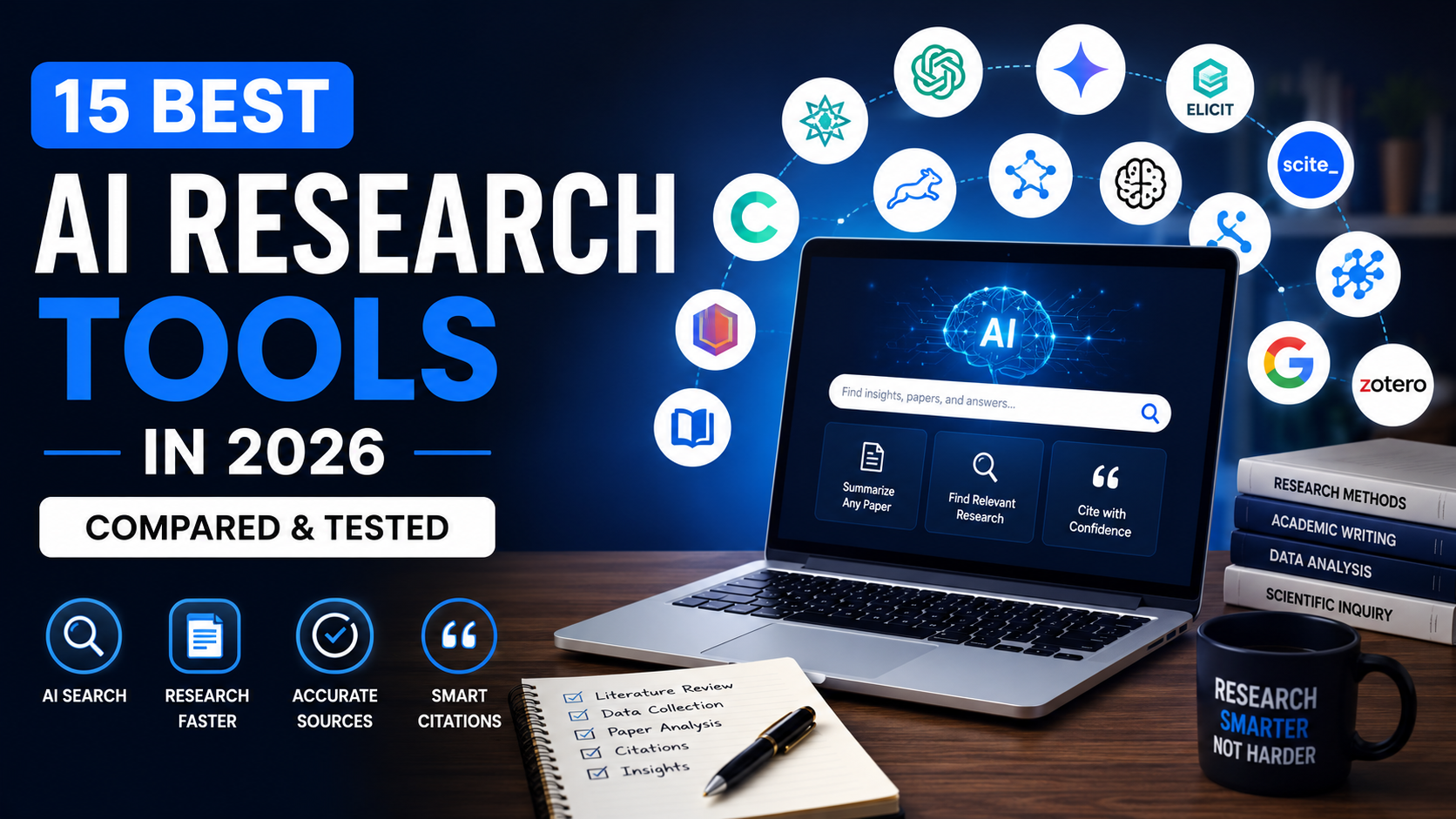
This guide covers 15 of the most capable tools available right now. We tested each one across multiple research scenarios, including academic literature reviews, blog research, fact-checking, citation generation, and summarization. Whether you are a student writing a thesis, a journalist verifying a claim, or a marketer building content strategy, you will find a clear recommendation here.
What Are AI Research Tools?
AI research tools are software applications that use artificial intelligence to assist with discovering, analyzing, summarizing, and organizing information. They go far beyond standard web search.
At their core, these tools typically offer some combination of:
- AI-powered search across academic databases, the open web, or uploaded documents
- Research summarization that distills long papers into digestible insights
- Citation generation in formats like APA, MLA, and Chicago
- Literature review assistance by connecting related papers and identifying research gaps
- Fact-checking by grounding answers in verifiable sources
- Knowledge discovery through visualizing how papers and ideas connect
- Workflow automation that reduces repetitive research tasks
Some tools are built specifically for academic research. Others are general-purpose AI assistants with strong research capabilities. The right choice depends on your specific workflow, depth of research required, and budget.
Quick Comparison Table
| Tool | Best For | Free Plan | Starting Price | Rating |
|---|---|---|---|---|
| Perplexity AI | Real-time AI search | Yes | $20/month | 9.2/10 |
| Elicit | Academic paper analysis | Yes | $10/month | 9.0/10 |
| Consensus | Evidence-based answers | Yes | $9.99/month | 8.8/10 |
| NotebookLM | Document-based research | Yes | Free (Google) | 9.1/10 |
| ChatGPT | Versatile AI research | Yes | $20/month | 9.0/10 |
| Claude | Long-form analysis | Yes | $20/month | 8.9/10 |
| Gemini | Google-integrated research | Yes | $19.99/month | 8.7/10 |
| Scite | Citation verification | Yes | $20/month | 8.8/10 |
| Semantic Scholar | Free academic search | Yes | Free | 8.5/10 |
| Research Rabbit | Paper discovery | Yes | Free | 8.6/10 |
| Connected Papers | Visual paper mapping | Yes | $3/month | 8.4/10 |
| Litmaps | Literature mapping | Yes | $10/month | 8.3/10 |
| SciSpace | Paper reading & chat | Yes | $12/month | 8.7/10 |
| Jenni AI | Academic writing | Yes | $20/month | 8.6/10 |
| Zotero | Citation management | Yes | Free | 8.9/10 |
Why Trust Our Recommendations
We spent several weeks evaluating each tool across real research tasks, not just reading product pages.
Our testing methodology involved the following evaluation criteria:
- Accuracy: Did the tool return factually correct answers with reliable sources?
- Source quality: Were citations from peer-reviewed, credible databases?
- Citation reliability: Could every citation be traced to a real, accessible paper?
- Speed: How quickly did the tool return useful results?
- Ease of use: Could a first-time user get productive within 10 minutes?
- Interface: Was the UI clean, logical, and distraction-free?
- AI summaries: Were the summaries accurate without hallucinating details?
- Academic usefulness: How well did it perform on graduate-level research tasks?
- Collaboration: Could teams or co-authors use it together?
- Privacy: Were uploaded documents and queries handled securely?
- Integrations: Did it connect with tools like Zotero, Google Drive, or Word?
- Pricing: Was the free plan genuinely useful, or was it just a teaser?
- Overall value: Did the paid plan justify its cost?
We ran identical research tasks across every tool to maintain consistency. Where limitations existed, we noted them honestly.
The 15 Best AI Research Tools
1. Perplexity AI
Official Website: https://www.perplexity.ai/
Overview
Perplexity AI has positioned itself as the go-to AI search engine for anyone who needs cited, real-time answers. Unlike traditional search, Perplexity reads source pages and synthesizes a direct answer with numbered citations you can verify instantly.
Why It Stands Out
Most AI tools either search the web or analyze documents. Perplexity does both in one interface. Its “Focus” modes let you search specifically within academic papers, YouTube, Reddit, or the broader web, giving you precise results without noise.
During testing, Perplexity consistently returned accurate summaries with linked sources. The citation quality was noticeably better than generic AI chatbots.
Key Features
- Real-time web and academic search
- Numbered, clickable citations on every answer
- Focus modes (Academic, Web, YouTube, Reddit)
- Perplexity Pro with GPT-4o and Claude integration
- Follow-up question support
- Collections for organizing research
Pros
- Excellent citation transparency
- Fast and accurate for current events and research
- Clean, distraction-free interface
- Pro version supports multiple AI models
Cons
- Academic database coverage not as deep as Elicit or Consensus
- The free plan has limited Pro searches per day
- Not ideal for full literature review workflows
Pricing
Free plan available. The Pro plan starts at $20/month.
Best For
Bloggers, journalists, content creators, and anyone needing cited answers fast.
Real Use Case
A content marketer researching “impact of AI on supply chains” can get a sourced, paragraph-style answer in seconds, then click through to the original sources for deeper reading.
Our Verdict
Perplexity AI is the best starting point for most researchers who need fast, trustworthy, cited answers. It is not a replacement for deep academic research, but it is unmatched for speed and source transparency.
2. Elicit
Official Website: https://elicit.com/
Overview
Elicit is purpose-built for academic research. It searches over 125 million papers from Semantic Scholar and extracts structured data from abstracts and full texts, making literature reviews dramatically faster.
Why It Stands Out
What separates Elicit from general AI tools is its ability to extract specific data columns from papers automatically. You can ask it to pull out sample sizes, methodologies, outcomes, or any other variable across dozens of papers simultaneously.
Key Features
- Searches 125 million+ academic papers
- Structured data extraction from abstracts and full texts
- Automated literature review summaries
- Column-based comparison of multiple papers
- Supports PDF uploads and full-text analysis
- Citation export in multiple formats
Pros
- Extraordinary depth for academic workflows
- Extracts structured data across multiple papers at once
- Helps identify research gaps quickly
- Strong citation quality
Cons
- Learning curve for new users unfamiliar with academic research workflows
- The free plan limits the number of papers analyzed per query
- Less useful for general or non-academic research
Pricing
Free plan available. Paid plans start at $10/month.
Best For
PhD students, academic researchers, scientists, and systematic review authors.
Real Use Case
A graduate student writing a meta-analysis can upload a list of 50 papers and have Elicit extract sample sizes, study designs, and key findings into a structured table in minutes.
Our Verdict
Elicit is the most powerful tool on this list for rigorous academic research. If you regularly conduct literature reviews or systematic reviews, it is genuinely indispensable.
3. Consensus
Official Website: https://consensus.app/
Overview
Consensus is an AI research tool that searches peer-reviewed papers and provides evidence-based answers to research questions. It is specifically designed to tell you what the science actually says.
Why It Stands Out
Consensus uses a “Consensus Meter” that visually shows how much scientific agreement exists on a given topic. This is enormously useful for fact-checking claims and understanding where research is settled versus still contested.
Key Features
- Searches over 200 million academic papers
- Consensus Meter showing agreement levels
- Snapshot summaries of research findings
- Copilot for AI-assisted reading
- Citation export
- Supports nuanced research questions
Pros
- Excellent for fact-checking scientific claims
- Consensus Meter is a unique and genuinely useful feature
- High-quality sources from peer-reviewed databases
- Clean, intuitive interface
Cons
- Not ideal for disciplines with limited indexed papers
- Less flexible than Perplexity for general research
- Some advanced features locked behind the paid plan
Pricing
Free plan available. Premium starts at $9.99/month.
Best For
Science communicators, health professionals, journalists, and students verifying research claims.
Real Use Case
A health blogger verifying whether intermittent fasting has scientific support can run a query on Consensus and immediately see how strongly the evidence tilts in either direction, complete with linked papers.
Our Verdict
Consensus fills a specific but important gap. For evidence-based research and science fact-checking, it is one of the most reliable tools available.
4. NotebookLM
Official Website: https://notebooklm.google/
Overview
NotebookLM, developed by Google, lets you upload your own documents and have an AI that is grounded exclusively in those sources. It will never hallucinate from external knowledge. Every answer comes from what you uploaded.
Why It Stands Out
Most AI tools can pull from the broader web, which introduces risk. NotebookLM is closed-source by design. Its answers are sourced only from your uploaded PDFs, documents, and notes, making it ideal for sensitive or specialized research where source control matters.
Key Features
- Upload PDFs, Google Docs, web URLs, and text files
- AI answers grounded only in uploaded sources
- Automatic source citations in every response
- Audio Overview feature for podcast-style summaries
- Mind maps and study guides
- Shared notebooks for collaboration
Pros
- Zero hallucination risk from outside sources
- Excellent for analyzing large document sets
- Free to use with a Google account
- Audio Overview is a genuinely unique feature
Cons
- Limited to content you upload, no live web search
- Not suitable for discovering new papers or sources
- Upload size limits apply
Pricing
Free with a Google account. NotebookLM Plus is available through Google One AI Premium at $19.99/month.
Best For
Students analyzing course materials, lawyers reviewing case files, researchers working with a defined set of documents.
Real Use Case
A professor uploading a semester’s worth of research papers can ask NotebookLM to compare methodologies across all uploaded studies, and every answer will cite the exact page and paragraph.
Our Verdict
NotebookLM is the most trustworthy tool for document-based research. For anyone working with a fixed set of sources, it is simply the best option available at no cost.
5. ChatGPT
Official Website: https://chatgpt.com/
Overview
Developed by OpenAI, ChatGPT is the most widely used AI assistant in the world. With the right prompting, it can assist with research summarization, outlining, literature review drafts, and source discovery through its web browsing capability.
Why It Stands Out
ChatGPT’s versatility is unmatched. It can shift from research assistant to writing partner to data analyst within the same conversation. GPT-4o’s ability to analyze uploaded PDFs and browse the web makes it a credible research tool, not just a writing assistant.
Key Features
- Real-time web search (in GPT-4o)
- PDF and document analysis
- Custom GPTs for specialized research tasks
- Memory feature for ongoing projects
- Code interpreter for data analysis
- API access for developers
Pros
- Most versatile AI tool on the market
- Excellent at summarizing complex papers in plain language
- Strong writing and editing capabilities alongside research
- Large ecosystem of plugins and integrations
Cons
- Can hallucinate citations without web browsing enabled
- Not specifically designed for academic database search
- Requires strong prompting for best research results
Pricing
Free plan available. ChatGPT Plus is $20/month.
Best For
Bloggers, content marketers, writers, and knowledge workers who need research and writing in one workflow.
Real Use Case
A blogger researching and writing about AI trends can use ChatGPT to search for recent developments, summarize findings, draft the article, and refine the structure all in one session.
If you are using ChatGPT to transform research into publish-ready content, read our How to Use ChatGPT for Blogging in 2026 guide for a complete workflow.
Our Verdict
ChatGPT is the best all-rounder for researchers who also create content. It is not the deepest academic tool, but no other tool combines research capability with writing quality as seamlessly.
6. Claude
Official Website: https://claude.ai/
Overview
Built by Anthropic, Claude is known for its ability to handle extremely long documents and produce nuanced, well-reasoned analysis. Its 200,000 token context window makes it exceptional for reading and analyzing lengthy research materials in one pass.
Why It Stands Out
Claude’s responses are noticeably more careful and measured than many AI tools. It tends to acknowledge uncertainty instead of fabricating answers, which is an important quality for any research workflow.
Key Features
- 200,000 token context window
- Document and PDF analysis
- Strong reasoning and argumentation
- Web search capability
- Projects for organizing research
- High safety and accuracy standards
Pros
- Best in class for analyzing very long documents
- Less likely to hallucinate compared to many competitors
- Writes in a natural, human-like tone
- Excellent for comparative analysis and argument evaluation
Cons
- Web search feature still developing compared to Perplexity
- No direct academic database integration
- Not ideal for discovering new academic literature
Pricing
Free plan available. Claude Pro starts at $20/month.
Best For
Researchers, lawyers, policy analysts, and writers working with large document sets.
Real Use Case
A policy researcher can upload a 300-page government report and ask Claude to identify all sections related to a specific regulation, summarize them, and highlight contradictions, all in one query.
Our Verdict
Claude is the best tool for deep document analysis. If your research involves reading and extracting insights from long-form materials, it is among the top choices available.
7. Gemini
Official Website: https://gemini.google.com/
Overview
Google’s Gemini integrates directly with Google Search, Google Scholar, Gmail, Docs, and Drive. For researchers already embedded in the Google ecosystem, it offers a seamless research-to-writing workflow.
Why It Stands Out
Gemini’s Deep Research feature, available in Gemini Advanced, creates comprehensive multi-step research reports autonomously. It searches, reads, synthesizes, and structures findings with minimal input from the user.
Key Features
- Deep Research for automated multi-step reports
- Google ecosystem integration (Docs, Drive, Gmail)
- Real-time Google Search integration
- Multimodal capabilities (text, image, audio)
- Gemini 2.0 Flash for fast queries
- NotebookLM integration
Pros
- Deep Research is one of the most impressive research automation features available
- Tight Google Workspace integration
- Strong multimodal capabilities
- Reliable real-time web access
Cons
- Quality varies between Gemini models
- Less focused on academic database search than Elicit or Consensus
- Privacy considerations for Google account users
Pricing
Free plan available. Gemini Advanced via Google One AI Premium starts at $19.99/month.
Best For
Business researchers, content teams, and Google Workspace users who need fast, automated research reports.
Real Use Case
A marketing strategist can ask Gemini Deep Research to compile a comprehensive competitor analysis report, and receive a structured, sourced document in minutes rather than hours.
Our Verdict
Gemini is the strongest choice for Google-native users. The Deep Research feature alone justifies the subscription for anyone who produces regular research-driven reports.
8. Scite
Official Website: https://scite.ai/
Overview
Scite takes a unique approach to academic research by showing not just how many times a paper has been cited, but whether those citations support, mention, or contradict the paper’s claims.
Why It Stands Out
One limitation we noticed with most AI research tools is that citation counts alone are misleading. A paper can be cited hundreds of times primarily by studies that dispute its findings. Scite solves this with its Smart Citations feature.
Key Features
- Smart Citations with supporting/contradicting context
- Search 1.2 billion citation statements
- Research Assistant for AI-powered queries
- Dashboard for tracking citation contexts
- Custom feeds for research monitoring
- Zotero integration
Pros
- Genuinely unique citation verification capability
- Excellent for identifying whether consensus exists on a claim
- Strong for systematic reviews and meta-analyses
- Good integration with reference managers
Cons
- More specialized than general-purpose tools
- Full features require a paid subscription
- The interface can feel technical for casual users
Pricing
Free plan available. Individual plans start at $20/month.
Best For
Academic researchers, scientists, systematic review authors, and fact-checkers.
Real Use Case
A medical researcher verifying a clinical claim can use Scite to see exactly which studies support versus contradict the original finding, saving hours of manual citation tracing.
Our Verdict
Scite is essential for any serious academic researcher. It answers a question no other tool on this list can answer: is this paper actually supported by the research that came after it?
9. Semantic Scholar
Official Website: https://www.semanticscholar.org/
Overview
Developed by the Allen Institute for AI, Semantic Scholar is a free academic search engine covering over 200 million papers. It uses NLP and machine learning to surface the most relevant research for any query.
Why It Stands Out
Semantic Scholar is completely free. For students and researchers without institutional access, it provides genuine academic search depth without any cost. Its AI-powered recommendations surface related papers that manual searching would miss.
Key Features
- 200 million+ indexed academic papers
- TLDR summaries for quick paper assessment
- Citation context analysis
- Semantic search using NLP
- Paper recommendations based on reading history
- Research feeds and alerts
Pros
- Completely free, no paywall
- Excellent paper discovery and recommendation engine
- TLDR summaries save significant reading time
- High-quality academic database coverage
Cons
- No AI chat interface for conversational research
- Less intuitive than modern AI-first tools
- Limited document upload or analysis features
Pricing
Completely free.
Best For
Students, academic researchers, and anyone needing free access to a large scholarly database.
Real Use Case
An undergraduate student without access to expensive journal subscriptions can discover, read summaries of, and cite peer-reviewed papers across any discipline at no cost.
Our Verdict
Semantic Scholar is the best free academic search engine available. It belongs in every student’s and researcher’s toolkit as a foundational resource.
10. Research Rabbit
Official Website: https://www.researchrabbit.ai/
Overview
Research Rabbit visualizes connections between academic papers, authors, and research topics through an interactive network map. It is designed to help researchers discover related work they might not find through keyword search alone.
Why It Stands Out
Traditional paper search returns a list. Research Rabbit returns a map. You can see which papers influenced your key source, which papers cite it, and which authors sit at the center of a field, all visually.
Key Features
- Interactive visual paper networks
- Zotero integration for seamless library sync
- Co-author network visualization
- Paper recommendations based on collections
- Email alerts for new relevant papers
- Completely free
Pros
- Completely free
- Visual discovery is genuinely powerful for exploring a new field
- Excellent Zotero integration
- Helps identify key authors and seminal papers quickly
Cons
- Not a writing or summarization tool
- Relies on Semantic Scholar database
- The interface can feel unfamiliar to new users
Pricing
Free.
Best For
PhD students, academic researchers entering a new field, and scholars building comprehensive literature reviews.
Real Use Case
A researcher new to a topic can upload one foundational paper, and Research Rabbit will map out the entire citation network, revealing the field’s key contributors and most influential studies.
Our Verdict
Research Rabbit fills a gap no other tool covers well. For literature discovery and mapping, it is the best free option available.
11. Connected Papers
Official Website: https://www.connectedpapers.com/
Overview
Connected Papers generates a visual graph of papers related to a seed paper. It is simpler than Research Rabbit but equally effective for quickly understanding the research landscape around a specific study.
Why It Stands Out
The visual graph makes it immediately obvious which papers are central to a field and which are peripheral. The “Prior Works” and “Derivative Works” views help researchers understand how a body of knowledge evolved.
Key Features
- Visual paper relationship graphs
- Prior works review for foundational research
- Derivative Works view for follow-up studies
- Semantic similarity-based connections
- Simple, minimal interface
- Works alongside any reference manager
Pros
- Extremely easy to use, no learning curve
- Excellent for quickly mapping a research area
- Prior and Derivative Works views are genuinely valuable
- The free tier is generous
Cons
- Limited graphs per month on the free plan
- No AI chat or summarization features
- Less detailed than Research Rabbit for deep exploration
Pricing
Free plan available (5 graphs/month). Paid plan starts at $3/month.
Best For
Students and researchers who want a simple, visual way to explore a research field.
Our Verdict
Connected Papers is the most approachable visual research tool on this list. It is perfect for a quick overview of any research area, and at $3/month, the paid plan is exceptional value.
12. Litmaps
Official Website: https://www.litmaps.com/
Overview
Litmaps combines literature mapping with research monitoring. It creates visual citation maps and sends automated alerts when new papers relevant to your research are published.
Why It Stands Out
Where Connected Papers and Research Rabbit create static snapshots, Litmaps keeps your literature map alive over time. For researchers in fast-moving fields, this ongoing monitoring is enormously valuable.
Key Features
- Dynamic literature maps that update over time
- New paper alerts and monitoring
- Seed map creation from any paper or DOI
- Integration with Zotero and other reference managers
- Collaboration features for research teams
- Export maps for publication
Pros
- Live monitoring keeps research current
- Team collaboration features
- Good integration with existing workflows
- Clean, modern interface
Cons
- Smaller paper database than Semantic Scholar
- Full monitoring features require a paid plan
- Less mature than some competitors
Pricing
Free plan available. Paid plans start at $10/month.
Best For
PhD students, research teams, and academics in actively evolving fields who need ongoing paper discovery.
Our Verdict
Litmaps is the best choice when literature review is an ongoing activity rather than a one-time task. The monitoring feature alone makes it worthwhile for active researchers.
13. SciSpace
Official Website: https://typeset.io/
Overview
SciSpace (formerly Typeset) is an AI research assistant built around reading and understanding academic papers. Its “Chat with PDF” feature lets you ask direct questions to any research paper and receive cited answers.
Why It Stands Out
SciSpace makes dense academic papers accessible to anyone. You can upload a paper written for specialists and have SciSpace explain concepts, define terms, and summarize sections in plain language without losing scientific accuracy.
Key Features
- Chat with any PDF or research paper
- AI Detector and Paraphraser
- Literature review AI assistant
- Paper search across 200+ million papers
- Citation generator
- Chrome extension for reading papers in browser
Pros
- Chat with PDF feature is excellent for dense papers
- Simplifies complex academic content effectively
- Good for interdisciplinary researchers unfamiliar with specialized jargon
- Chrome extension is genuinely convenient
Cons
- Summarization quality varies with highly technical papers
- Not as powerful as Elicit for structured data extraction
- Some features feel redundant with other tools
Pricing
Free plan available. Premium starts at $12/month.
Best For
Students, interdisciplinary researchers, and content creators needing to understand papers outside their core expertise.
Our Verdict
SciSpace is the best tool for making academic papers readable and accessible. For anyone who regularly reads research outside their primary field, it reduces comprehension time significantly.
14. Jenni AI
Official Website: https://jenni.ai/
Overview
Jenni AI is an academic writing assistant that combines AI writing with research integration. It is designed to help students and researchers write papers faster by suggesting text, managing citations, and integrating source material directly into the writing process.
Why It Stands Out
Most AI research tools help you find and understand information. Jenni AI helps you write with that information. Its in-editor citation feature means you can research and write in the same workspace without switching between tools.
Key Features
- AI writing suggestions within a document editor
- In-text citation generator with multiple style support
- PDF and paper import for in-editor referencing
- Paraphrasing and rewriting tools
- Plagiarism checker
- Research-to-draft workflow
Pros
- Seamless research-to-writing workflow
- Strong citation management within the editor
- Good for academic writing style and structure
- Reduces the friction between research and drafting
Cons
- More of a writing tool than a deep research discovery tool
- Requires careful review to maintain academic integrity
- Not suitable for research discovery or paper mapping
Pricing
Free plan available. Paid plans start at $20/month.
Best For
Students writing essays and research papers, academic writers, and anyone who wants to go from source to draft in one environment.
Our Verdict
Jenni AI is the strongest tool for academic writing, not pure research. If your goal is to write a paper rather than discover literature, it is the most efficient option on this list.
15. Zotero
Official Website: https://www.zotero.org/
Overview
Zotero is the gold standard for reference management. It is free, open-source, and integrates with virtually every browser, word processor, and research tool on this list. It stores, organizes, and formats citations automatically.
Why It Stands Out
Zotero does not compete with AI research tools. It completes them. Every tool on this list works better when paired with Zotero, because Zotero handles the one thing AI tools still do poorly: keeping your source library organized across a years-long research project.
Key Features
- Automatic citation capture from any webpage or database
- Word processor integration (Word, Google Docs, LibreOffice)
- Citation formatting in 10,000+ styles
- PDF storage and annotation
- Group libraries for research teams
- Integration with Research Rabbit, Litmaps, Scite, and more
Pros
- Completely free for most use cases
- Integrates with virtually every research tool
- Handles citation formatting better than any AI tool
- Excellent for long-term project management
Cons
- Not an AI research or discovery tool
- The interface feels dated compared to modern AI tools
- Storage limits apply on the free plan (300MB)
Pricing
Free. Paid storage plans start at $20/year.
Best For
Every researcher. Zotero is a foundational tool that should sit underneath any research workflow regardless of which other tools you use.
Our Verdict
Zotero is not optional. Every student, researcher, and academic professional should use it. It is the connective tissue that holds your entire research library together.
Which AI Research Tool Is Best For You?
Every workflow is different. Here is a direct recommendation by use case:
- Students: Start with Semantic Scholar (free academic search) + Zotero (citation management) + NotebookLM (document analysis). Add SciSpace if you struggle with dense papers.
- PhD researchers: Elicit for literature review, Research Rabbit for paper discovery, Scite for citation verification, and Zotero for reference management.
- Scientists: Consensus for evidence-based answers + Scite for citation context + Elicit for structured data extraction.
- Bloggers and content creators: Perplexity AI for cited, fast answers + ChatGPT for research-to-draft workflow. Explore the best AI tools for blogging to build a full content workflow.
- Content marketers: Perplexity AI + Gemini Deep Research for competitive and topic research.
- SEO professionals: Perplexity AI for current research + ChatGPT for content development + Gemini for search-aligned reporting.
- Journalists: Perplexity AI for real-time cited answers, Consensus for scientific claim verification + Scite for deeper fact-checking.
- Business owners and entrepreneurs: Gemini for Google-integrated business research + ChatGPT for versatile analysis.
- Teachers and professors: NotebookLM for curriculum materials + Zotero for resource management + Elicit for keeping up with research.
- Enterprise teams: Gemini Advanced for Google Workspace integration + Claude for large document analysis.
Free vs Paid AI Research Tools
Who should stay on free plans:
Free plans are genuinely capable for most students and occasional researchers. Semantic Scholar, Zotero, Research Rabbit, and NotebookLM are entirely free and cover most academic research needs without any compromise.
If your research volume is low and you are not publishing or making high-stakes decisions based on your findings, free plans are sufficient.
Who benefits from premium plans:
Researchers who run multiple literature reviews monthly, content teams producing regular research-driven publications, and professionals who need real-time paper monitoring or advanced citation analysis should consider upgrading.
Paid plans remove query limits, unlock structured data extraction, enable team collaboration, and provide priority access to more powerful AI models.
When upgrading is worthwhile:
Upgrade when free limits are slowing your workflow, when you need features like Elicit’s full-text extraction, Scite’s Smart Citation dashboard, or Perplexity Pro’s multi-model access. For most active researchers, the monthly cost of one tool is recovered in saved research hours within the first week.
Common Mistakes to Avoid
Blindly trusting AI answers. Even the best tools occasionally get things wrong. Always verify key claims by clicking through to the original source. Treat AI summaries as a starting point, not a final answer.
Ignoring citations. If a tool provides an answer without citations, treat that answer with caution. The value of AI research tools is grounded sourcing. If you cannot trace the claim, do not publish it.
Not verifying sources. A citation is only as good as the source it points to. Check that the paper is peer-reviewed, that the journal is reputable, and that the citation actually supports the claim being made.
Depending on one AI tool. No single tool covers everything well. Combine tools based on their strengths. Use Perplexity for fast search, Elicit for deep literature review, and Zotero for organization.
Choosing based only on popularity. ChatGPT is the most popular AI tool in the world. It is not the best tool for academic literature review. Match the tool to the task, not to the hype.
Forgetting privacy considerations. When uploading sensitive documents or proprietary research, review the tool’s privacy policy carefully. Some AI services use uploaded content to train future models. NotebookLM and Claude have particularly strong privacy reputations for document analysis.
Conclusion
The landscape of AI research tools has matured significantly. There is no single tool that does everything best, but there is definitely a right combination for every type of researcher.
Here are our final recommendations:
- Best Overall: Perplexity AI for its combination of speed, citation quality, and versatility
- Best Free Tool: NotebookLM for document-based research at no cost
- Best Academic Tool: Elicit for deep literature review and structured data extraction
- Best for Bloggers: ChatGPT paired with Perplexity AI for research-to-publish workflows. For a full publishing strategy, explore AI tools for bloggers to get the most out of your stack
- Best for Businesses: Gemini Advanced for Google-integrated research automation
- Best for Researchers: Elicit + Scite + Zotero as a core academic research stack
The practical advice is this: do not try to use every tool on this list. Pick two or three that match your actual workflow. Start with Zotero regardless of anything else. Add a discovery tool like Perplexity AI or Elicit based on whether you prioritize speed or depth. Then add a specialized tool like Scite or Research Rabbit if your work demands it.
The best AI research tools are the ones that fit seamlessly into how you already work, reduce friction, and get you to reliable answers faster. Start there.
Using ChatGPT as part of your research-to-content workflow? Our How to Use ChatGPT for Blogging in 2026 guide covers the complete process from first draft to published post.

Nikunj Pandya
Nikunj Pandya is an AI and technology professional with over 5 years of experience exploring how emerging technologies can solve real-world problems. He focuses on Artificial Intelligence, AI Search, and AI tools, sharing practical insights to help readers understand and make better use of new technology.